Chat
Hand
Code
Create
Wisebase
Apps
Pricing
Add to Chrome
Log in
Log in
Chat
Hand
Code
Create
Wisebase
Apps
Pricing
Back to Main Menu
Products
Apps
  • Extensions
  • iOS
  • Android
  • Mac OS
  • Windows
Wisebase
  • Wisebase
  • Deep Research
  • Scholar Research
  • Math Solver
  • Rec NoteNew
  • Audio To Text
  • Gamified Learning
  • Interactive Reading
  • ChatPDF
Tools
  • Web CreatorNew
  • AI SlidesNew
  • AI Essay Writer
  • Nano Banana Pro
  • Nano Banana Infographic
  • AI Image Generator
  • Italian Brainrot Generator
  • Background Remover
  • Background Changer
  • Photo Eraser
  • Text Remover
  • Inpaint
  • Image Upscaler
  • Create
  • AI Translator
  • Image Translator
  • PDF Translator
Sider
  • Contact Us
  • Help Center
  • Download
  • Pricing
  • Education Plan
  • What's New
  • Blog
  • Community
  • Partners
  • Affiliate
©2026 All Rights Reserved
Terms of Use
Privacy Policy
  • Home
  • Blog
  • FAQs
  • Errors

Errors

Updated at Apr 10, 2025

1 min


"Open AI server is busy" / "Open AI stop response" / "Error: GPT limit reach due to high load, please try again later"

The OpenAI server is experiencing high load which happens occasionally. We suggest trying again later.

"Not Found" / "Error:401"

Please start a new chat.

Error reported for failed file upload during chat process.

Uploading files directly during a chat consumes queries, specifically from the Reader's quota. Check your remaining credits; if the upload failure is not due to a lack of credits, please contact us promptly at [email protected].
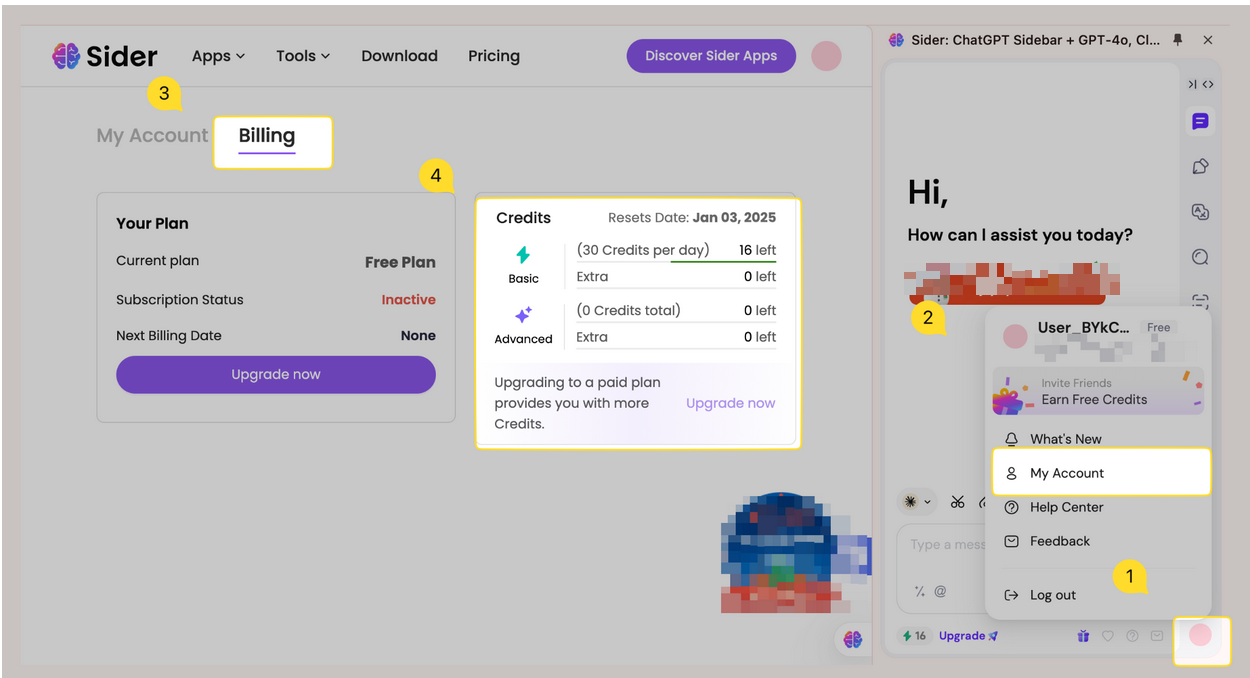
image1


Using ChatGPT web application it always fails to respond.

The OpenAI side sometimes has changed some parameters, causing the ChatGPT Webapp not to work. We will try to fix it in the next version. For now, you can use Sider API, Settings > General > How to access ChatGPT > Sider.

Log-in failed, Please try again

Ensure that the username and password are entered correctly. Check for typos, incorrect capitalization, or extra spaces.

o1 does not give results

Try updating the Sider extension or app. If it's not working, you can uninstall it and then reinstall it.

Recent Articles
General Issue

General Issue

iOS & Android

iOS & Android

Account Issue

Account Issue

Invitation Issue

Invitation Issue

Credit Issue

Credit Issue

Payment Issue

Payment Issue