Professional Audio to Text Conversion Directly in Your Browser

Stop switching between tabs and tools. Sider brings high-performance speech to text and AI summaries to your sidebar. Designed for students, researchers, and remote professionals.

Add Sider to Chrome
2025 Chrome's Favorite
10M+ Active users
100K+ 5-star ratings

Smart Features for Seamless Transcription
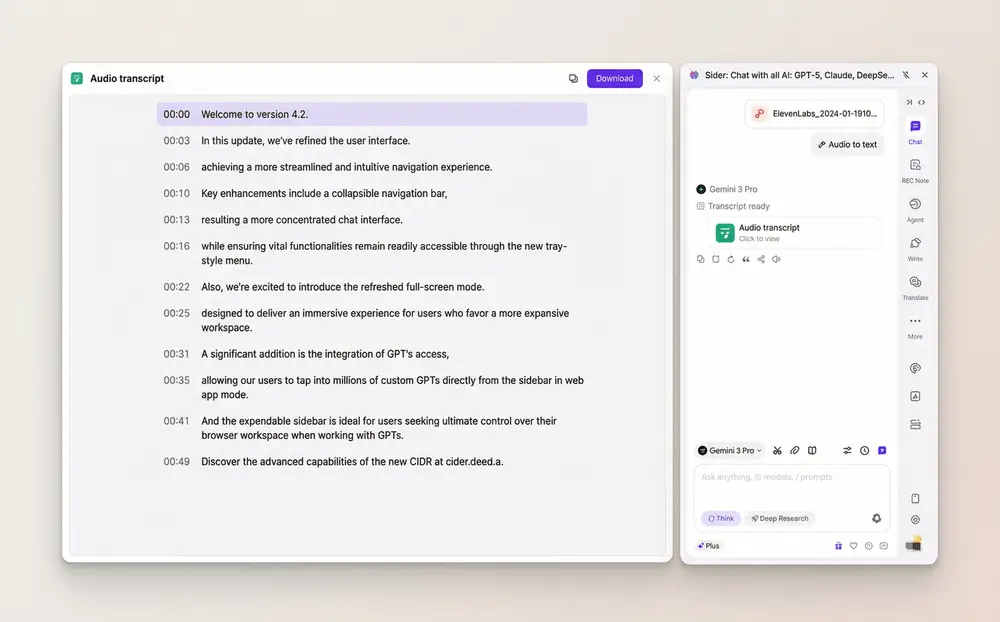
Sider extension audio to text navigation with timestamps.

Interactive Timestamps & Navigation

Reviewing long recordings is now effortless. Sider transcribes your files with clickable timestamps. Click any part of the transcript to instantly play back the corresponding audio, allowing for rapid verification and easy navigation.
Download Sider Extension
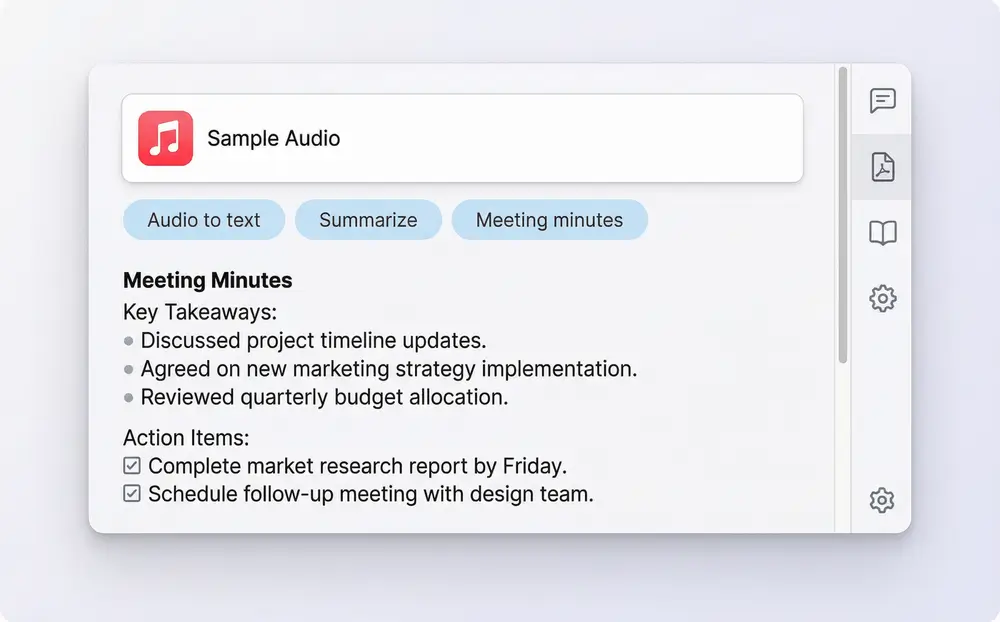
AI meeting minutes and summary generation from audio.

AI-Powered Summaries & Meeting Minutes
Don't just read the text—understand it. Generate 'Meeting Minutes,' bulleted summaries, or structured study guides. Give the AI custom instructions to extract specific insights or action items from the transcript.
Download Sider Extension
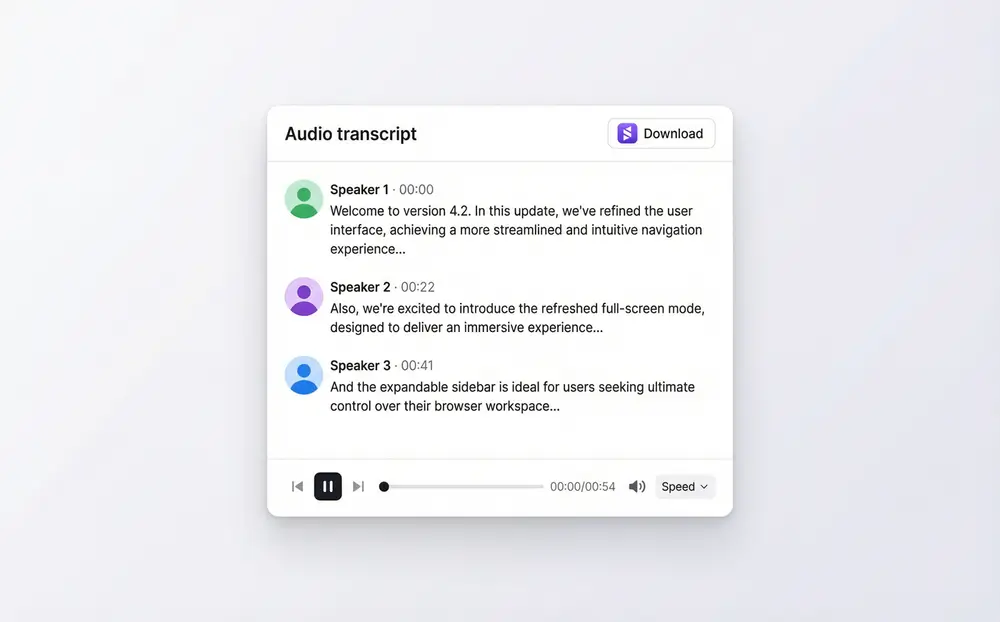
Speaker identification in Sider transcription extension.

Speaker Labeling & Multi-Voice Detection
Keep track of who said what. Sider’s speech to text technology distinguishes between different speakers, automatically labeling them throughout the transcript. Essential for professional interviews or team meetings.
Download Sider Extension
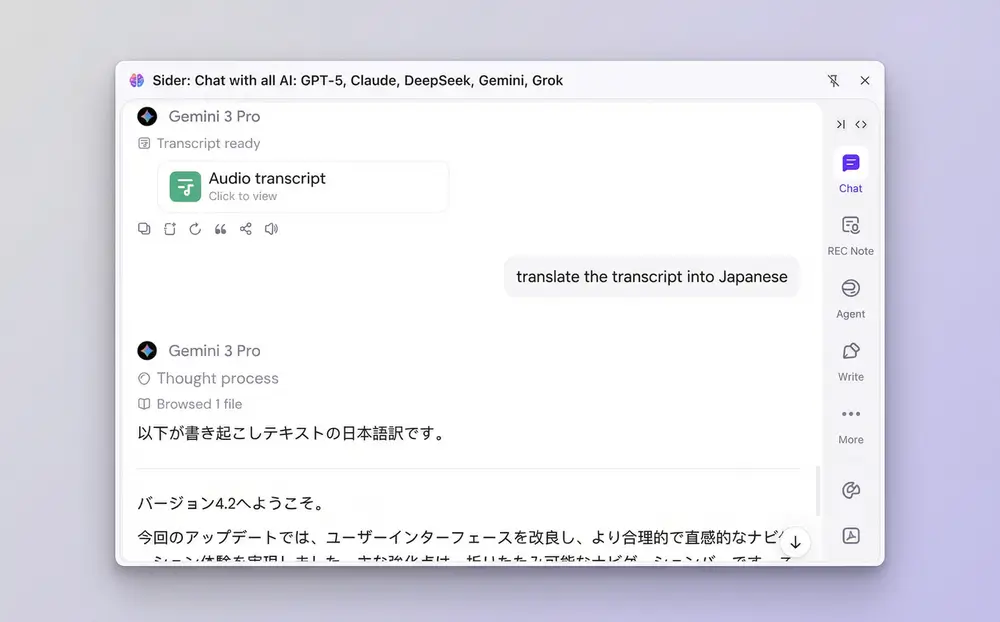
Using Sider AI as a voice translator and chat assistant.

Instant AI Translation & Custom Queries

Use Sider's integrated AI chat to communicate with your audio data. Once transcribed, simply ask the AI to 'Translate this transcript into Japanese' or 'Rewrite this in Spanish' to bridge the gap between global teams.
Download Sider Extension

How It Works: Get Started in Seconds

Download Sider extension
1

Install the Extension

Download and install the Sider extension from your browser's web store.
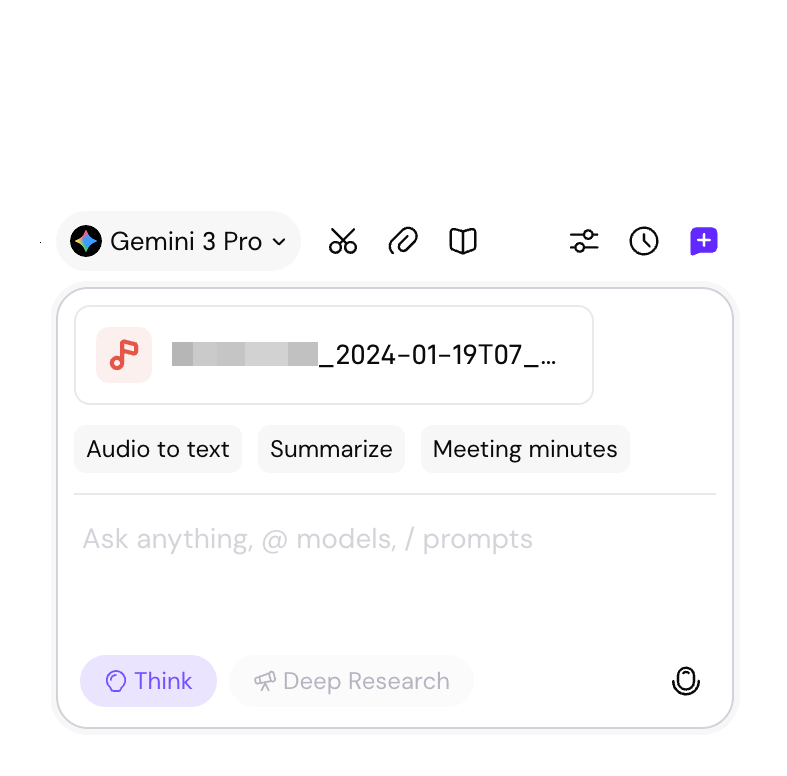
Upload audio file to Sider sidebar
2

Upload & Select

Open the sidebar, upload your audio file (MP3, WAV, M4A, or MPGA), and select your goal—audio to text, summary, or translation.
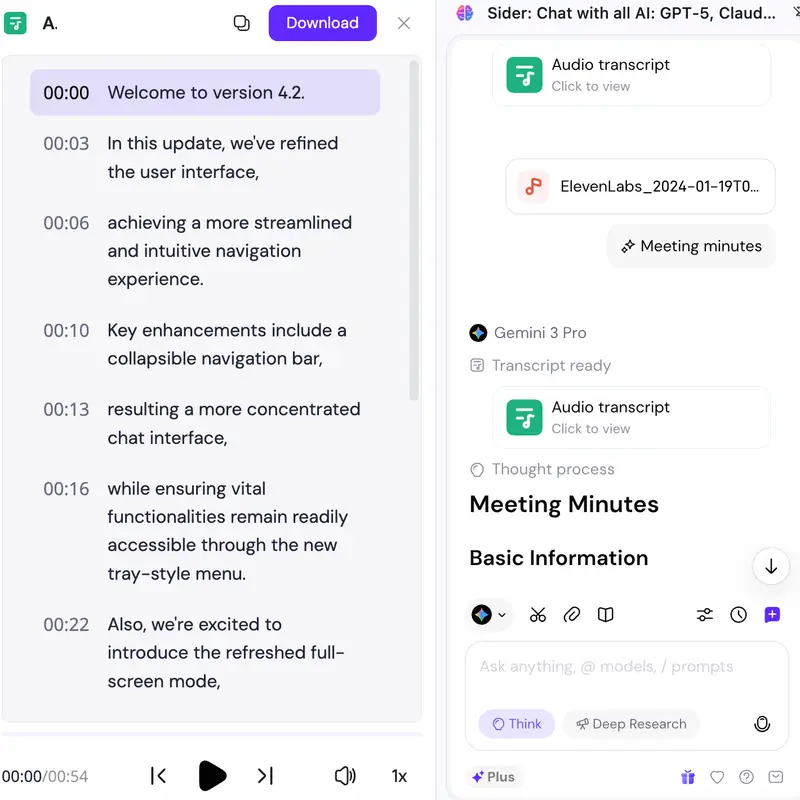
Reviewing transcript and notes
3

Review Output

View your high-accuracy transcript and AI-generated notes instantly in your sidebar, ready to copy or export.

Why Choose Sider?

All-in-One AI Powerhouse

Access transcription, web reading assistants, image generation, and advanced chat models in one extension. It is the only AI tool you need to stay productive.

Full Creative Control

Customize your output. Ask the AI to change the tone, extract key dates, or format the text for a specific report. You have total control over the final result.

Professional-Grade Efficiency

Designed for high-stakes environments, Sider handles long recordings in the background while you continue your work, reducing time spent on manual documentation.

Sider by the Numbers

All-in-One

Transcription, Summarization, and Translation in one sidebar

4 formats

Full support for MP3, WAV, M4A, and MPGA

100+

Languages you can translate into via AI chat

10M+

Users have empowered their workflow with Sider

Trusted by Professionals Worldwide

"Sider has changed how I handle my remote meetings. I just upload the MP3, ask for 'Meeting Minutes,' and I'm done. The audio to text quality is top-notch."

James R.

Remote Operations Lead

"Being able to transcribe audio to text and then immediately ask the AI to translate it for my international clients is a game changer. It’s like having a personal assistant in my browser."

Elena M.

Freelance Consultant

"I use it for my research interviews. The speaker detection is very accurate, and I love that it's all tucked away in a sidebar rather than a separate website."

Hiroshi K.

Academic Researcher

Frequently Asked Questions

Sider audio to text converter currently supports MP3, WAV, M4A, and MPGA files.

After Sider finishes the speech to text process, you can use the chat box within the sidebar to ask the AI to translate the transcript into your desired language. It acts as a versatile voice translator for any recorded content.

No. Once the extension is installed, Sider lives in your browser sidebar. You can transcribe and summarize audio while browsing any website or working in your online documents.

Yes. Sider prioritizes user privacy. Your uploaded audio files are processed securely and are not stored permanently on our servers without your consent.

Experience the Future of Productivity

Download the Sider extension today and transform the way you work with audio.

Add Sider to Browser