Kimi K2.5 AI Browser Assistant - Access Kimi AI Free

Experience Kimi K2.5's powerful thinking model in your browser sidebar. Chat with links, images, and files. Your AI copilot powered by Kimi, ChatGPT, Claude, DeepSeek, Gemini & Grok.

Get Free Kimi Access
1M+ Active Users
4.9/5 User Rating
7+ AI Models Supported
50M+ AI Chats Processed

Powerful Kimi K2.5 AI Features

Kimi K2.5 AI in browser sidebar

Kimi K2.5 Model in Browser Sidebar

Experience Moonshot AI's Kimi K2.5 directly in your browser. The Kimi K2 model features enhanced thinking capabilities with visible reasoning chains. Perfect for complex problem-solving, coding assistance, and deep analysis. No need to switch tabs - Kimi AI stays accessible while you work on any webpage.
Download Sider Extension
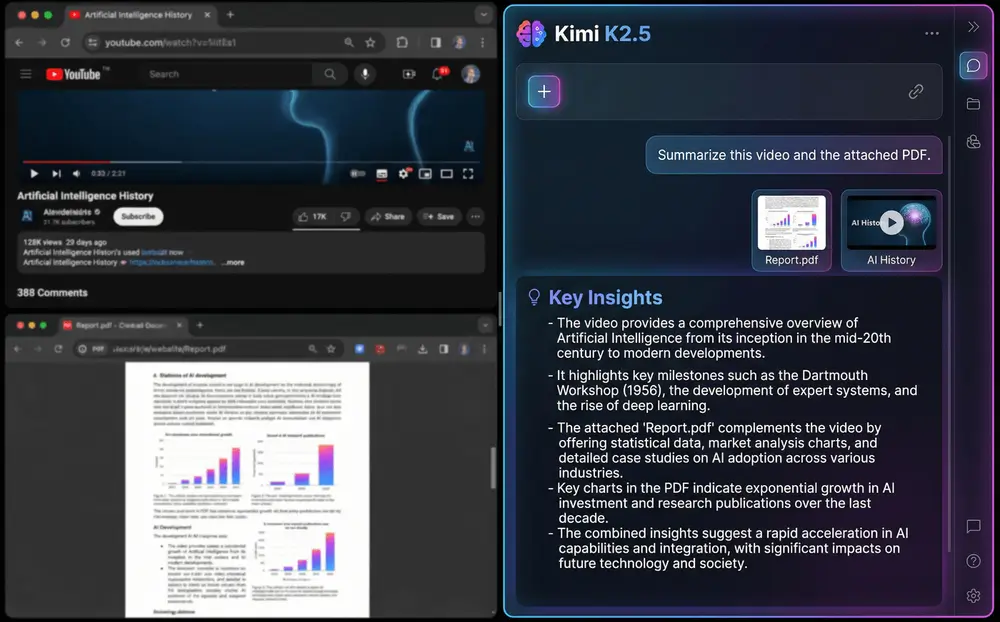
Chatting with links and images in browser

Chat With Links, Images and Files

Transform how you interact with web content. Simply paste any link into Sider's browser AI, and Kimi K2.5 will read, analyze, and summarize the content. Upload images or documents for instant analysis. Chat with PDFs, videos, and any file format. Your AI copilot understands context and provides intelligent insights.
Download Sider Extension
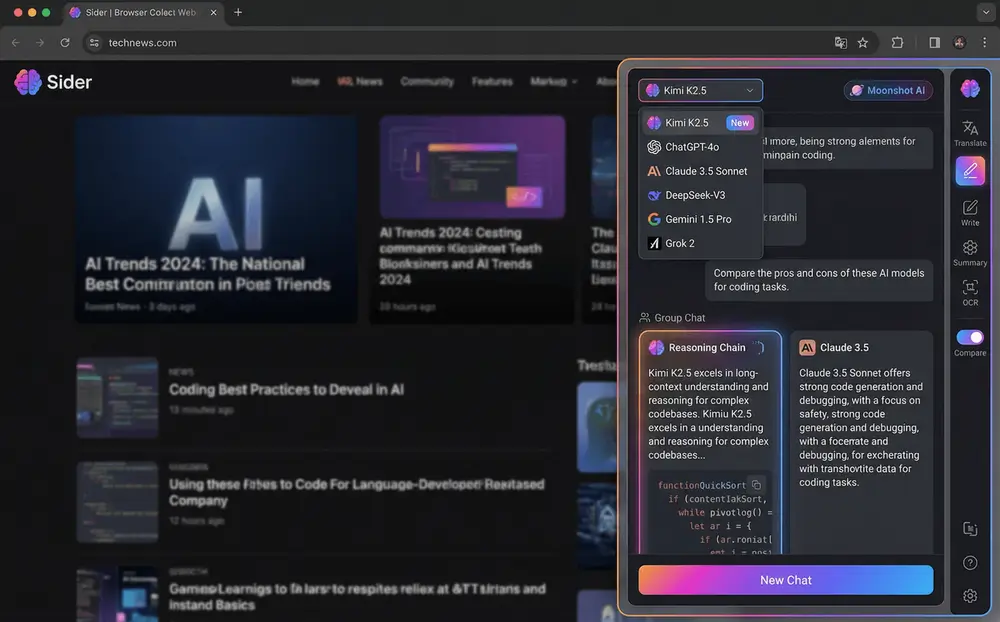
Multiple AI models in browser sidebar

All Top AI Models in One Extension

Access Kimi K2.5 alongside ChatGPT, Claude, DeepSeek, Gemini, Grok and more. Switch between AI models instantly or let the browser AI choose the best model for your task. Compare responses from different models and leverage each AI's unique strengths. One extension, unlimited AI possibilities.
Download Sider Extension
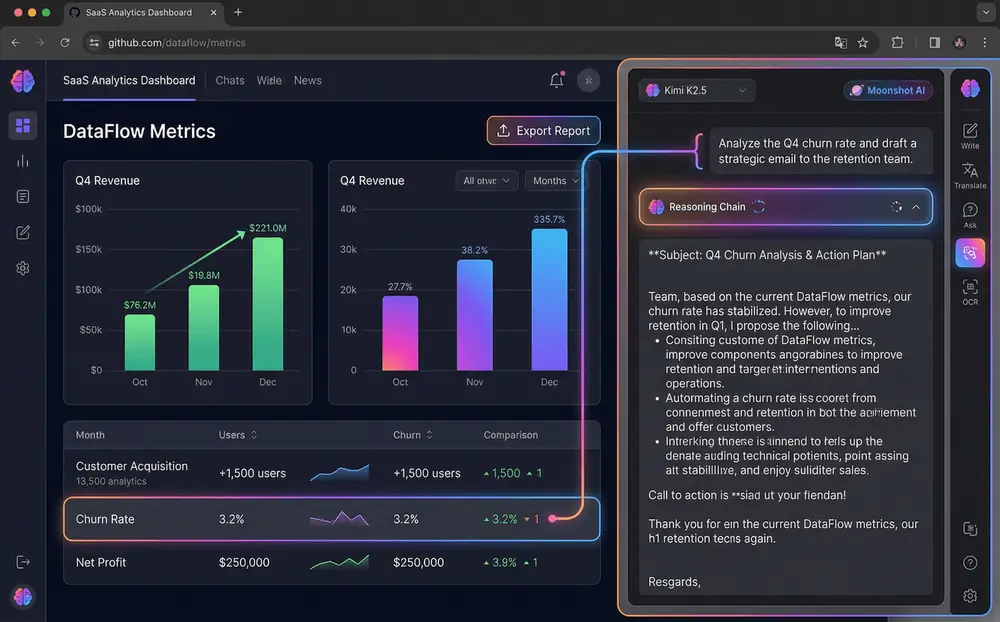
AI copilot reading and writing on webpage

AI Copilot for Web Tasks

Let Kimi K2.5 AI read and assist with any webpage content. Whether you're on SaaS platforms, e-commerce sites, research papers, or social media, the browser AI understands context and helps you work smarter. Write emails, analyze data, summarize articles, and automate repetitive tasks with Kimi AI.
Download Sider Extension
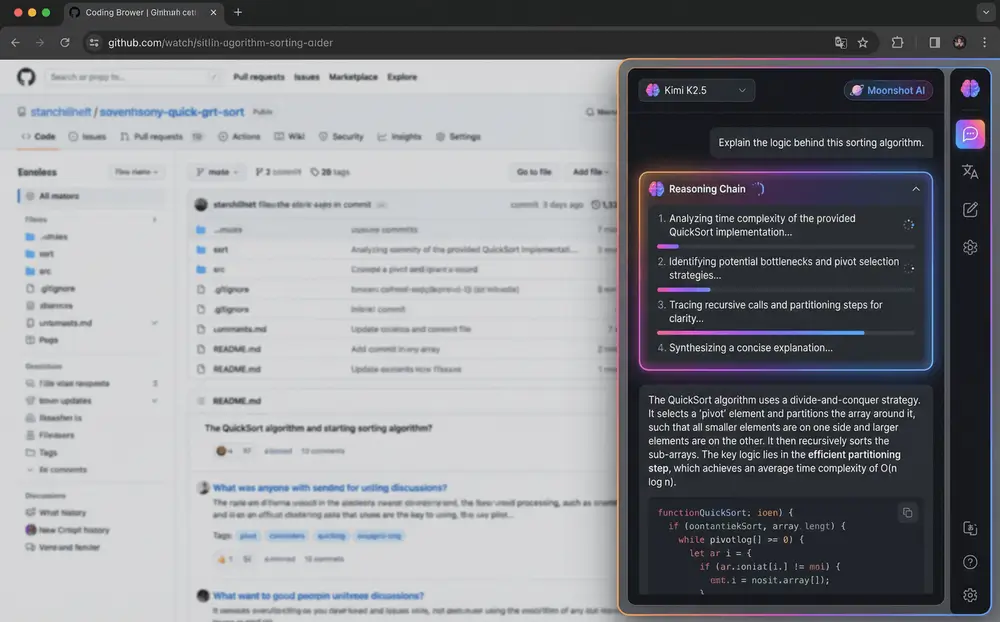
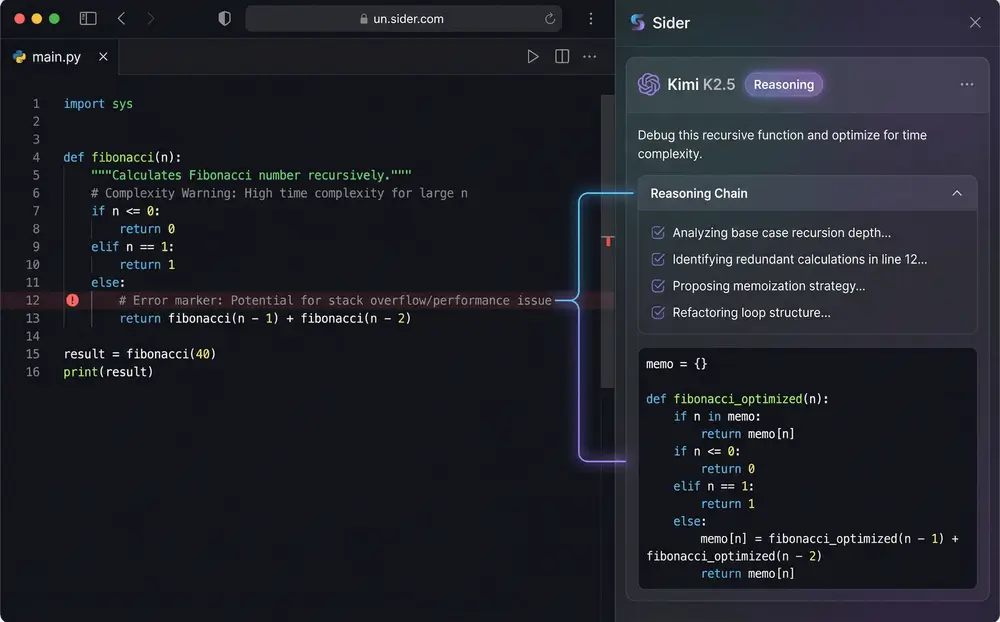
Kimi K2 thinking model showing reasoning chain

Advanced Thinking and Reasoning

Leverage Kimi K2's powerful thinking capabilities for complex tasks. Watch Kimi K2.5 show its reasoning process step-by-step, making it perfect for coding help, logical analysis, and understanding how AI solves problems. The agentic thinking model breaks down complex queries into manageable steps.
Download Sider Extension

Start Using Kimi K2.5 in 3 Steps

Installing Sider browser extension for Kimi AI
1

Add Sider to Your Browser

Install the free Sider browser extension on Chrome, Firefox, Edge, or Safari. One-click installation takes less than 30 seconds. Once installed, you'll have immediate access to Kimi K2.5 and other AI models in your browser sidebar.
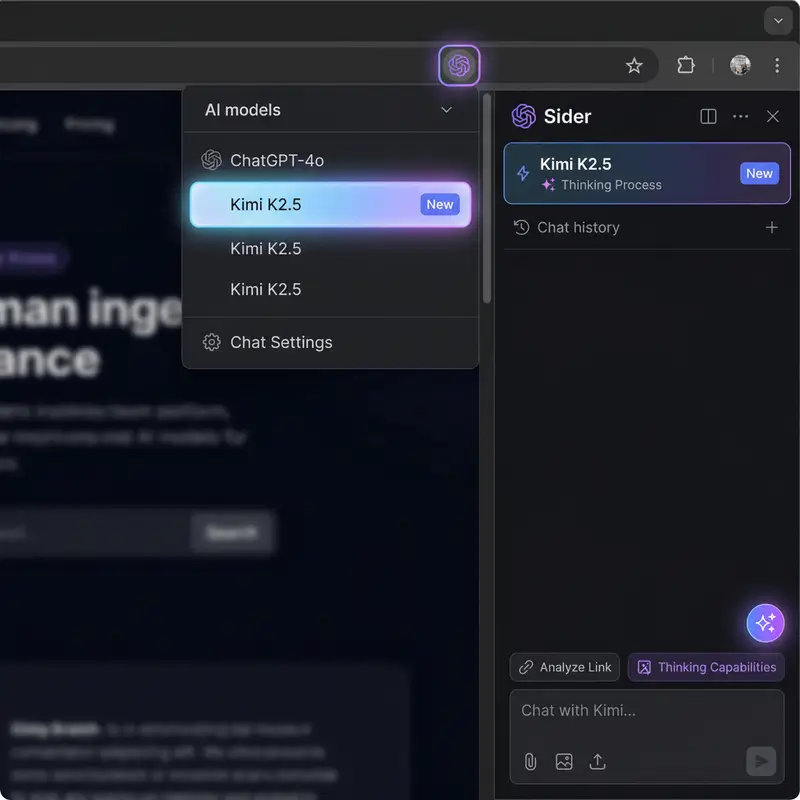
Selecting Kimi K2.5 AI model in browser
2

Select Kimi K2.5 Model

Click the Sider icon in your browser to open the sidebar AI assistant. Select "Kimi" from the model dropdown to access Kimi K2.5. You're now ready to chat with Kimi AI, analyze links, process images, and leverage Kimi K2's thinking capabilities.
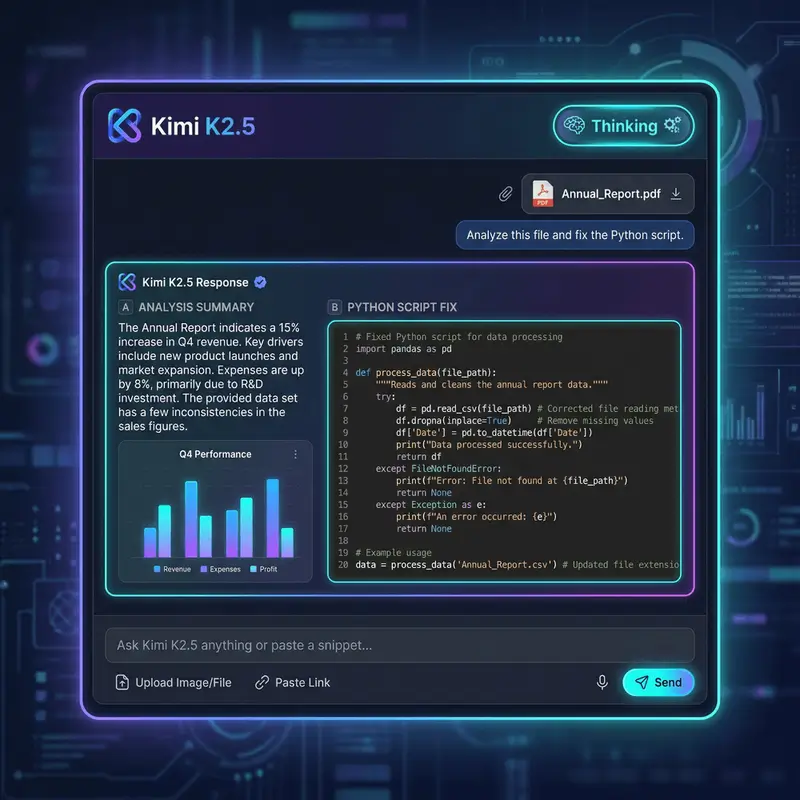
Chatting with links and files using Kimi AI
3

Start Chatting With Kimi AI

Paste any link, upload images or files, or simply ask questions. Kimi K2.5 AI will analyze content, provide insights, and assist with tasks. Chat with webpage content, get coding help, summarize documents, or let Kimi K2's thinking process guide you through complex problems.

Why Sider is Best for Kimi K2.5 Access

Access Real Kimi K2.5 Model

Sider provides direct access to Moonshot AI's authentic Kimi K2.5 model. Experience the full Kimi K2 thinking capabilities including visible reasoning chains, enhanced problem-solving, and agentic workflows. Unlike other tools that mimic Kimi, we connect to the real Kimi K2.5 API for genuine results.

Kimi AI That Travels With You

Sider's browser sidebar AI stays accessible across all webpages. Whether you're on Kimi's website, working in SaaS tools, or browsing the web, Kimi K2.5 is always one click away. The context-aware assistant understands what you're viewing and provides relevant help without switching tabs.

Switch AI Models Instantly

Enjoy flexibility of Kimi K2.5 plus 6+ other AI models in one place. Compare responses from Kimi, ChatGPT, Claude, DeepSeek, Gemini and Grok. Different tasks benefit from different models - switch instantly or let the AI copilot automatically choose the best model. All models, one extension.

Trusted by AI Enthusiasts Worldwide

1M+

Active users accessing Kimi K2.5 and other AI models

50M+

AI chats and content analyses processed

7+

AI models supported (Kimi, ChatGPT, Claude, DeepSeek, Gemini, Grok, more)

4.9/5

User satisfaction rating for Kimi K2.5 access

What Users Say About Kimi K2.5 Access

Finally found a way to access Kimi K2.5 in my browser! The K2 thinking model is incredible for complex reasoning. I love that I can chat with research papers and compare Kimi's insights with ChatGPT and Claude. Sider is the best Kimi alternative for web-based AI work.

Zhang Wei

AI Researcher

Kimi K2.5's visible thinking process changed how I debug code. The browser sidebar integration means I don't have to leave my IDE to get help. Being able to switch between Kimi K2, DeepSeek, and Claude based on the task is a game-changer. Highly recommend for developers.

Li Ming

Software Developer

I use Kimi K2.5 daily for market research and competitive analysis. Chatting with links and documents directly in my browser saves hours. The multi-model feature lets me get different perspectives from Kimi, ChatGPT and Gemini. Essential tool for anyone working with AI.

Wang Fang

Product Manager

Frequently Asked Questions About Kimi K2.5

Access Kimi K2.5 AI model easily with Sider browser extension. Simply install the free sidebar AI assistant, and you can chat with Kimi K2.5 directly from your browser. No need to visit Kimi's website - enjoy Kimi K2 thinking capabilities while working on any webpage. The browser AI provides seamless access to Moonshot AI's powerful thinking model.

Kimi K2.5 is Moonshot AI's advanced thinking model with enhanced reasoning capabilities. The Kimi K2 model excels at complex problem-solving, coding assistance, and agentic workflows. With Sider, you can access Kimi K2.5 alongside ChatGPT, Claude, DeepSeek, Gemini and Grok in one convenient browser sidebar. The model's visible reasoning chain sets it apart from other AI assistants.

Yes! Sider's browser AI allows you to chat with links, images, and files directly in your browser sidebar. Simply paste a link, upload an image or file, and Kimi K2.5 or any other AI model will analyze and respond. Perfect for web research, document analysis, and visual content understanding. The AI copilot processes multiple file formats and provides intelligent insights.

Sider offers free access to Kimi K2.5 and other AI models including ChatGPT, Claude, DeepSeek, Gemini and Grok. The browser extension provides generous free tier limits, allowing you to experience Kimi K2.5's powerful capabilities without cost. Premium plans are available for unlimited access, higher rate limits, and advanced features. Start with the free Kimi access and upgrade when needed.

Sider supports multiple top-tier AI models in one browser extension: Kimi, ChatGPT, Claude, DeepSeek, Gemini, Grok, and more. Switch between models instantly or let the AI copilot choose the best model for your task. Access all top AI models from one convenient browser sidebar.

Kimi K2 thinking is Moonshot AI's advanced reasoning process where the model shows its step-by-step thought process. When you access Kimi K2.5 through Sider's browser sidebar, you can see the model's reasoning chain, making it perfect for complex problem-solving, coding help, and understanding how AI arrives at answers. This agentic thinking approach breaks down complex queries into manageable, logical steps.

Absolutely! Sider's browser AI stays accessible as a sidebar across all webpages. Whether you're on a SaaS platform, reading articles, or working on documents, Kimi K2.5 AI assistant is always one click away. Read and write content, chat with webpage elements, and automate tasks with Kimi AI directly in your browser. The context-aware assistant understands what you're viewing and provides relevant assistance.

Ready to Experience Kimi K2.5 AI?

Get Free Kimi Access Now