YouTube Transcript Generator - Extract with Timestamps

Extract full YouTube transcripts with timestamps for efficient video content processing. Sider's transcript extractor supports 50+ languages, bilingual display, AI summaries, and one-click copy. Perfect for language learners, researchers, and content creators.

Install Sider - Extract Transcripts
10M+ Active users worldwide
4.9/5 Average user rating
50+ Languages supported

YouTube Transcript Generator Features

Extract, analyze, and utilize YouTube video content with precision tools

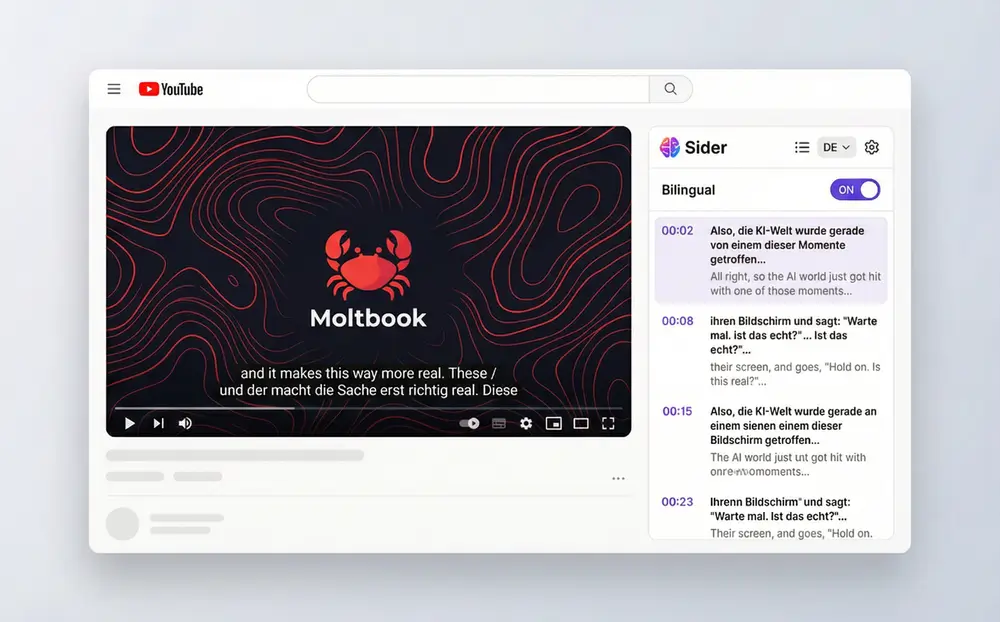
Timestamped YouTube transcript with clickable navigation feature

Extract Timestamped Transcripts

Get complete YouTube transcripts with precise timestamps for every line. Click any timestamp in the extracted transcript to jump directly to that moment in the video. Perfect for language learners practicing listening comprehension, researchers locating specific quotes, or creators analyzing content structure. The YouTube transcript generator captures every spoken word accurately, making it easy to navigate long videos and find exactly what you need.
Download Sider Extension
Bilingual YouTube subtitle display with English and Chinese text

50+ Language Support with Bilingual Display
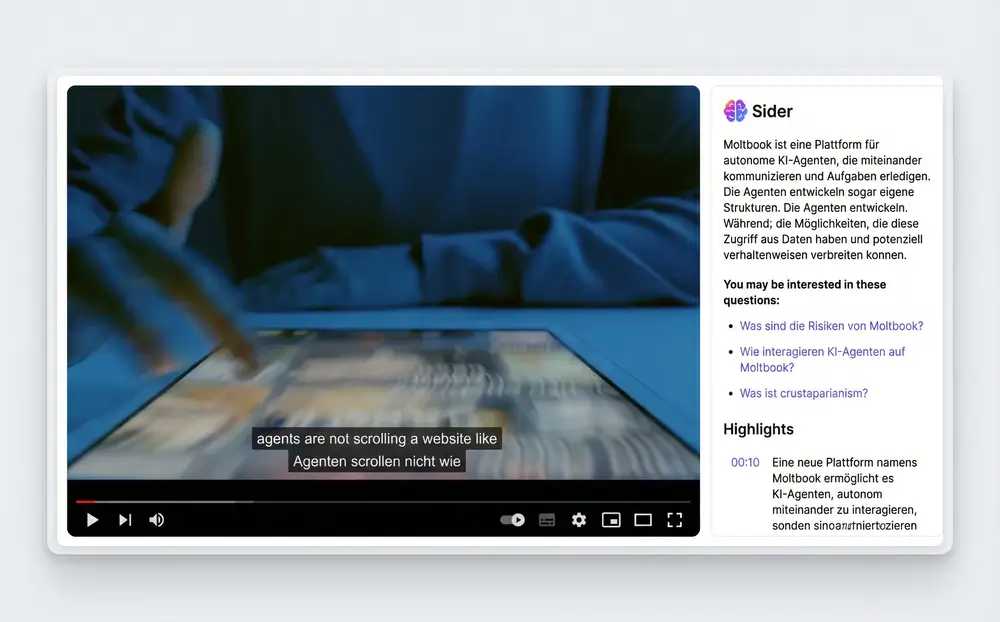
Break language barriers with support for over 50 languages. Sider's YouTube transcript extractor lets you display bilingual subtitles simultaneously—your native language alongside the original content. Ideal for language learners comparing vocabulary, professionals understanding foreign content, or anyone watching videos in non-native languages. Switch between languages instantly and learn faster with side-by-side translations.
Download Sider Extension
AI-generated summary of YouTube transcript with key highlights

AI-Powered Transcript Summaries

Save hours of watching time with AI-generated summaries. Sider analyzes the entire transcript and delivers concise, accurate summaries highlighting key points. Perfect for students skimming lecture videos, professionals screening industry content, or anyone wanting to understand video content without watching the full duration. Get the essence of any YouTube video in seconds.
Download Sider Extension
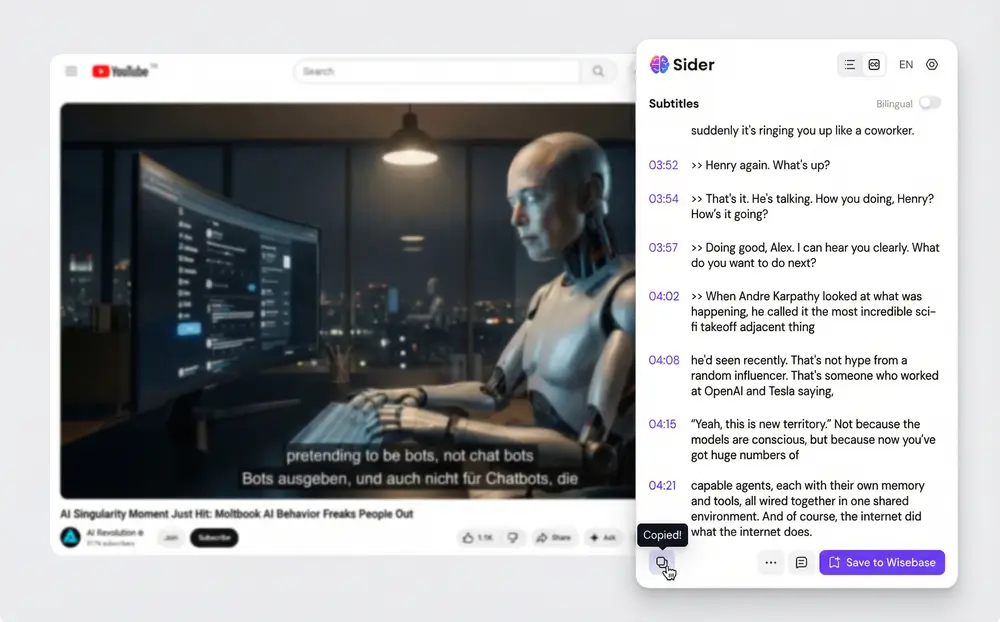
One-click copy feature for YouTube transcript export

One-Click Copy for Easy Export

Copy entire transcripts to clipboard with a single click. Paste directly into Notion, Anki, Google Docs, or any note-taking app. Ideal for students creating study materials, content creators extracting quotes, or researchers building reference libraries. The YouTube transcript generator preserves formatting and timestamps, making your exported text ready for immediate use.
Download Sider Extension

How to Extract YouTube Transcripts in 3 Steps

Install Sider browser extension from web store
1

Install Sider Extension

Add Sider to your browser. It works as a YouTube transcript generator across Chrome, Edge, Firefox, and Safari. Start extracting transcripts from any YouTube video with captions enabled.

Extract YouTube transcript from Sider sidebar
2

Extract YouTube Subtitles

Open any YouTube video, click the Sider Subtitle icon in your right sidebar, and watch the transcript appear with timestamps. Choose your language, enable bilingual display, and navigate to any part of the video by clicking timestamps.
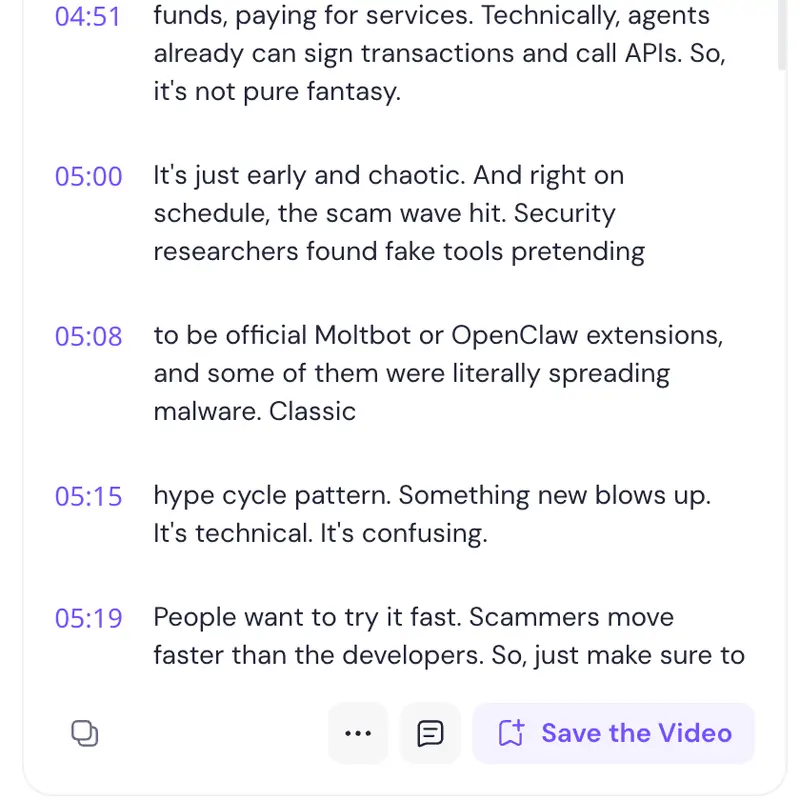
Export and summarize YouTube transcripts for study and research
3

Copy, Summarize, or Export

Use one-click copy to save the full transcript, generate AI summaries for quick understanding, or jump to specific video sections via timestamps. Your extracted content is ready for notes, research, content creation, or language study.

Why Choose Sider's YouTube Transcript Generator

Extraction Precision with Timestamps

Sider's YouTube transcript generator delivers word-for-word accuracy with every extraction. Our advanced algorithms capture speech nuances, including speaker changes and technical terms, ensuring researchers and professionals get reliable transcripts every time. Trust precise transcriptions with timestamps for academic citations, business documentation, and content creation.

Seamless Browser Integration

Experience the YouTube transcript extractor directly in your browser. Sider appears as a convenient sidebar that stays with you while you browse, watch, and work. Switch between videos, change languages, and access transcripts without interrupting your workflow across Chrome, Edge, Firefox, and Safari.

Comprehensive Language Support

Access transcripts in over 50 languages with bilingual display options. Sider's YouTube transcript generator supports diverse language needs for global users, content creators, and researchers working with multilingual content. Extract transcripts in original languages and view translations side-by-side for enhanced comprehension.

Trusted by Millions Worldwide

10M+

Active Users

4.9/5

User Rating

50+

Languages Supported

Word-for-Word

Timestamp Precision

What Users Say About Sider

Sider transformed how I study foreign languages. The bilingual subtitles with timestamps let me practice listening and compare vocabulary instantly. I've learned three languages faster than ever!

Maria Chen

Language Learner & Student

As a content creator, I need to analyze dozens of videos weekly. Sider's YouTube transcript generator saves me hours by letting me scan transcripts instead of watching full videos. The AI summaries are essential for my workflow.

Alex Rivera

YouTube Content Creator

Perfect for academic research! I extract transcripts from lecture videos, copy quotes with timestamps, and cite sources accurately. Sider's precision and 50+ language support make it indispensable for my work.

Dr. James Okonkwo

Researcher & Professor

Frequently Asked Questions

Install Sider's browser extension, open any YouTube video, and click the Subtitle icon in the right sidebar. Sider will instantly extract the complete transcript with timestamps. You can copy, summarize, or download subtitles directly.

Yes, Sider's YouTube transcript generator allows you to download subtitles from YouTube videos. After extracting the transcript, use the one-click copy feature to save all subtitles to your notes or documents. It works with videos that have captions enabled.

YouTube transcript extraction is a paid feature in Sider. You can extract transcripts, use timestamp navigation, and access 50+ language support with a Sider subscription. Advanced features like AI summaries and multi-language support are included in premium plans.

Sider's YouTube transcript extractor supports over 50 languages including English, Spanish, French, German, Chinese, Japanese, Korean, and many more. You can also display bilingual subtitles simultaneously for language learning and cross-language comprehension.

Sider's YouTube transcript generator works with videos that have YouTube captions or subtitles enabled. If a video doesn't have built-in captions, you cannot extract a transcript from it. Always check if the video has available captions before attempting extraction.

Sider's YouTube transcript generator stands out due to timestamp precision, 50+ language support, bilingual display, AI summarization, seamless browser integration, and one-click copy functionality. Works instantly on any YouTube video with captions enabled.

Yes, Sider prioritizes user privacy and data security. The transcript extraction process runs securely in your browser, and we don't store your video viewing history or extracted transcripts. All data processing follows strict privacy standards to ensure your information remains protected.

Ready to Extract YouTube Transcripts?

Join 10M+ users using YouTube transcript generator with timestamps, AI summaries, and bilingual subtitles. Get Sider to extract, analyze, and utilize video content efficiently.

Install Sider - Extract Transcripts