- Home
- What's New
- Browser Extension
- Save Knowledge to Wisebase Using Sider Extension
Save Knowledge to Wisebase Using Sider Extension
Sider v4.36.0
Jan 18, 2025Version: 4.36.0
We're excited to introduce Sider v4.36.0, featuring seamless integration with Wisebase – a milestone that transforms how you collect and manage knowledge while browsing.
Introducing Wisebase: Your AI Knowledge Base
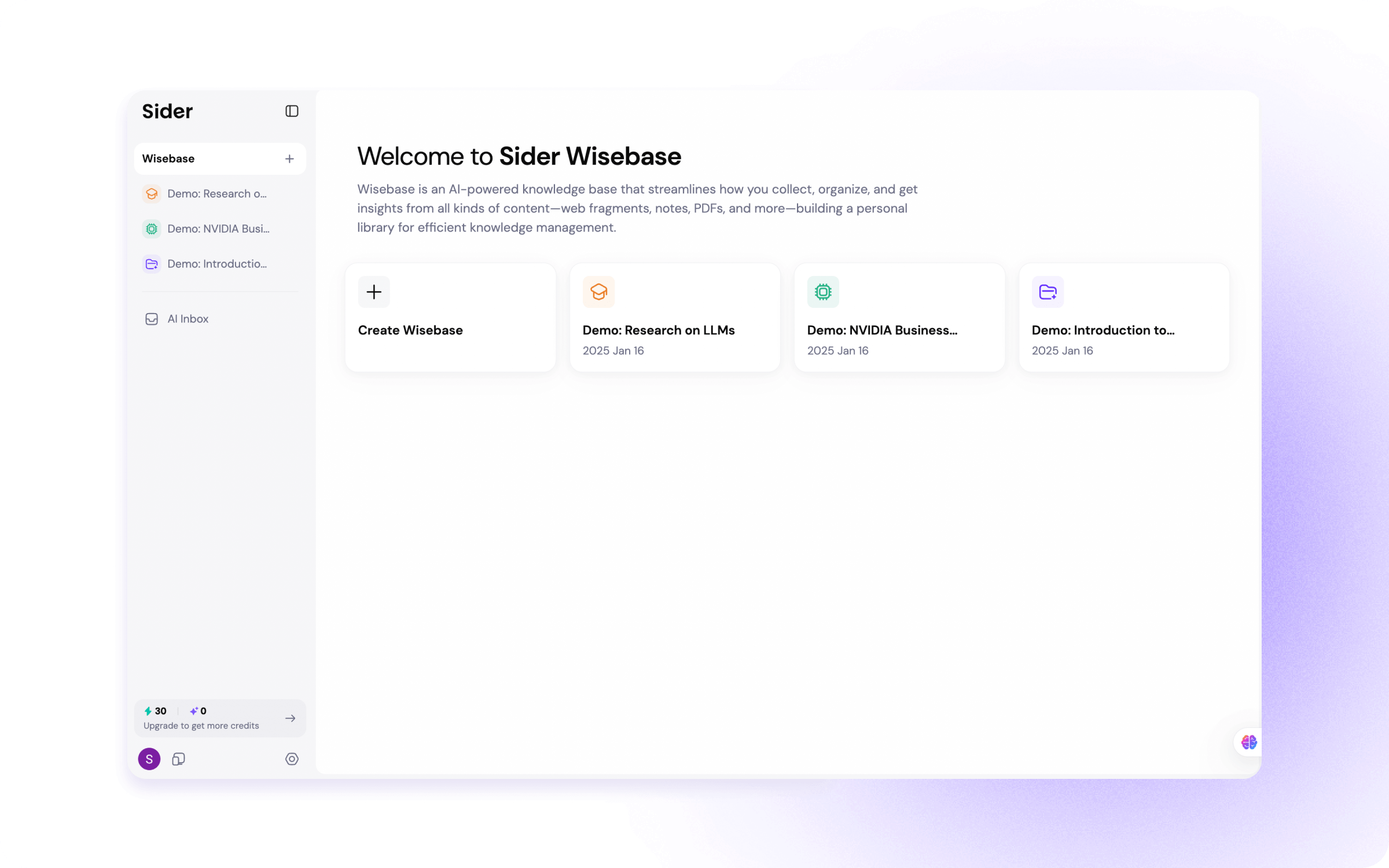
Wisebase is a centralized platform that helps you better manage knowledge with:
- Smart Collection: Easily save web content, documents, and research materials
- AI-Powered Organization: Intelligently categorize materials into relevant Wisebases (folders)
- Intelligent Processing: Generate concise summaries of complex topics
- Enhanced Search with Reliable Sources: Find exactly what you need with citations through AI-powered search
- Universal Access: Reach your knowledge anywhere, anytime
What's New: Three Ways to Save Knowledge via Sider Extension
1. Highlight & Save:
Select any text on a webpage and save it in three simple steps:
- Select your desired text
- Click the "Highlight" button in the Sider context menu
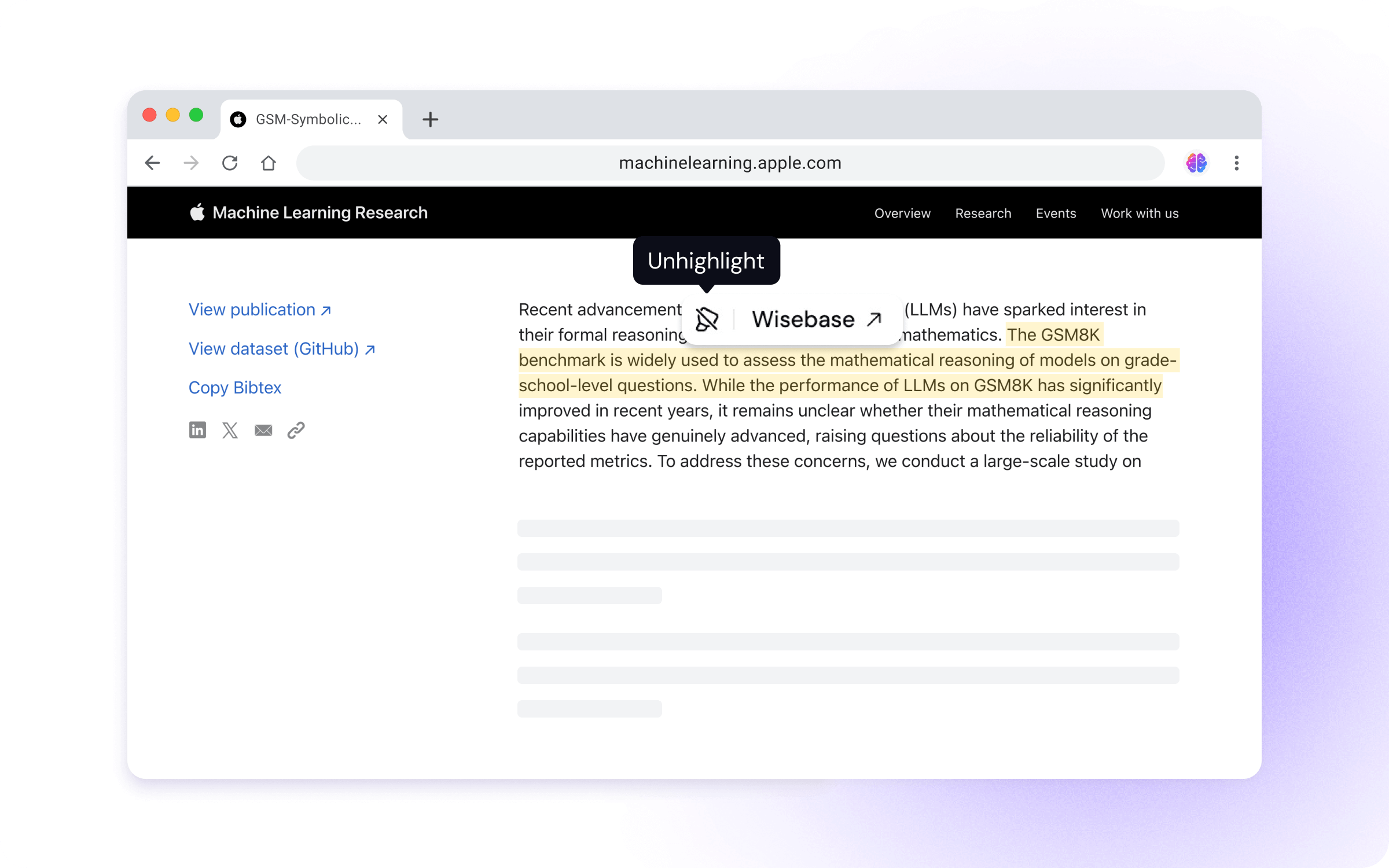
- The page will be automatically saved to your Wisebase AI Inbox by default
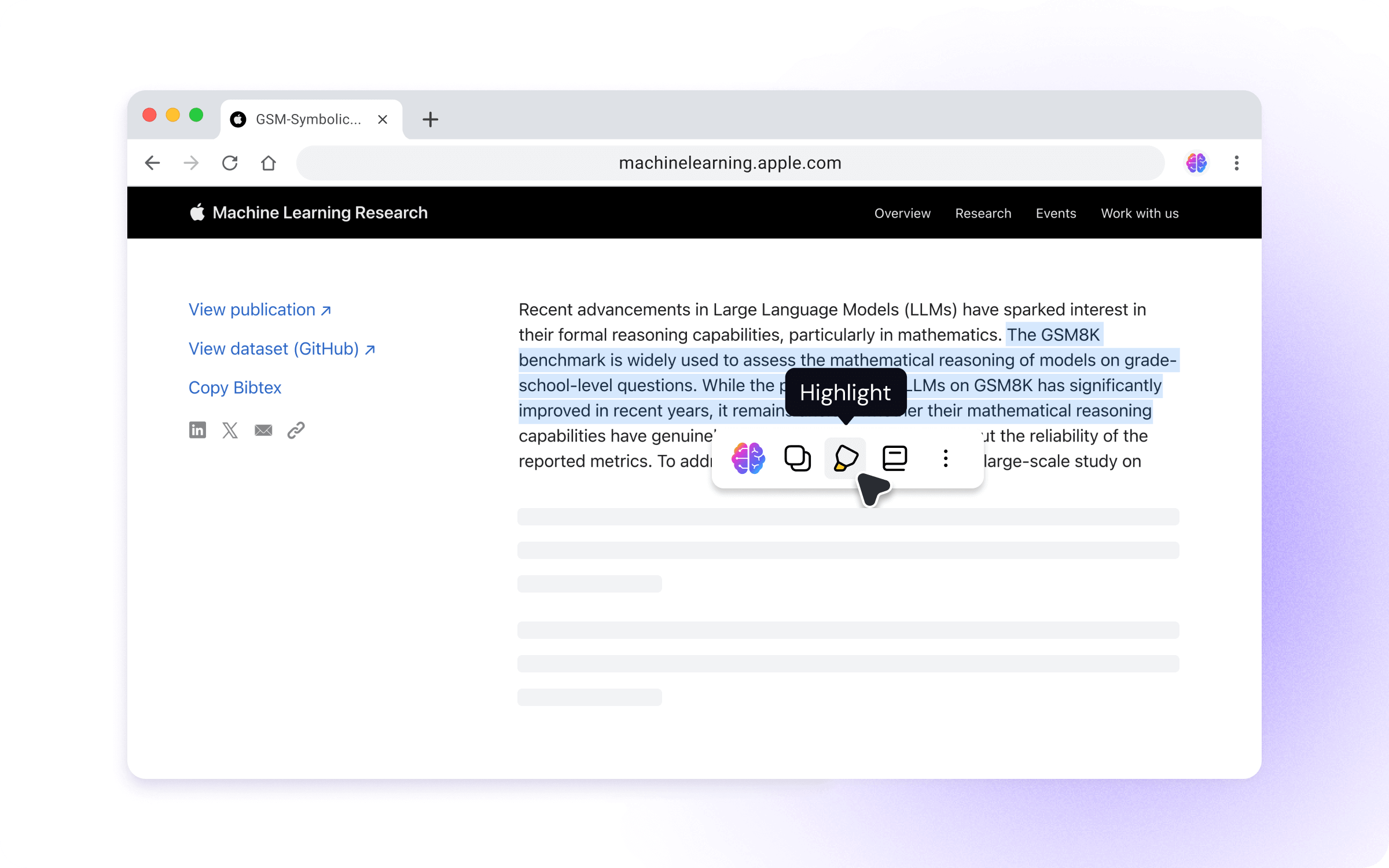
If you are reading here, try to select this sentence and click the “Highlight” button in the pop-up context menu toolbar to experience Wisebase.
Pro Tips:
- If you don't see the context menu toolbar, consider opening the Sider sidebar, clicking Settings > Context menu, and toggling the switch of “Show context menu”

- Choose a different save location via the top-page prompt that appears the first time you highlight text
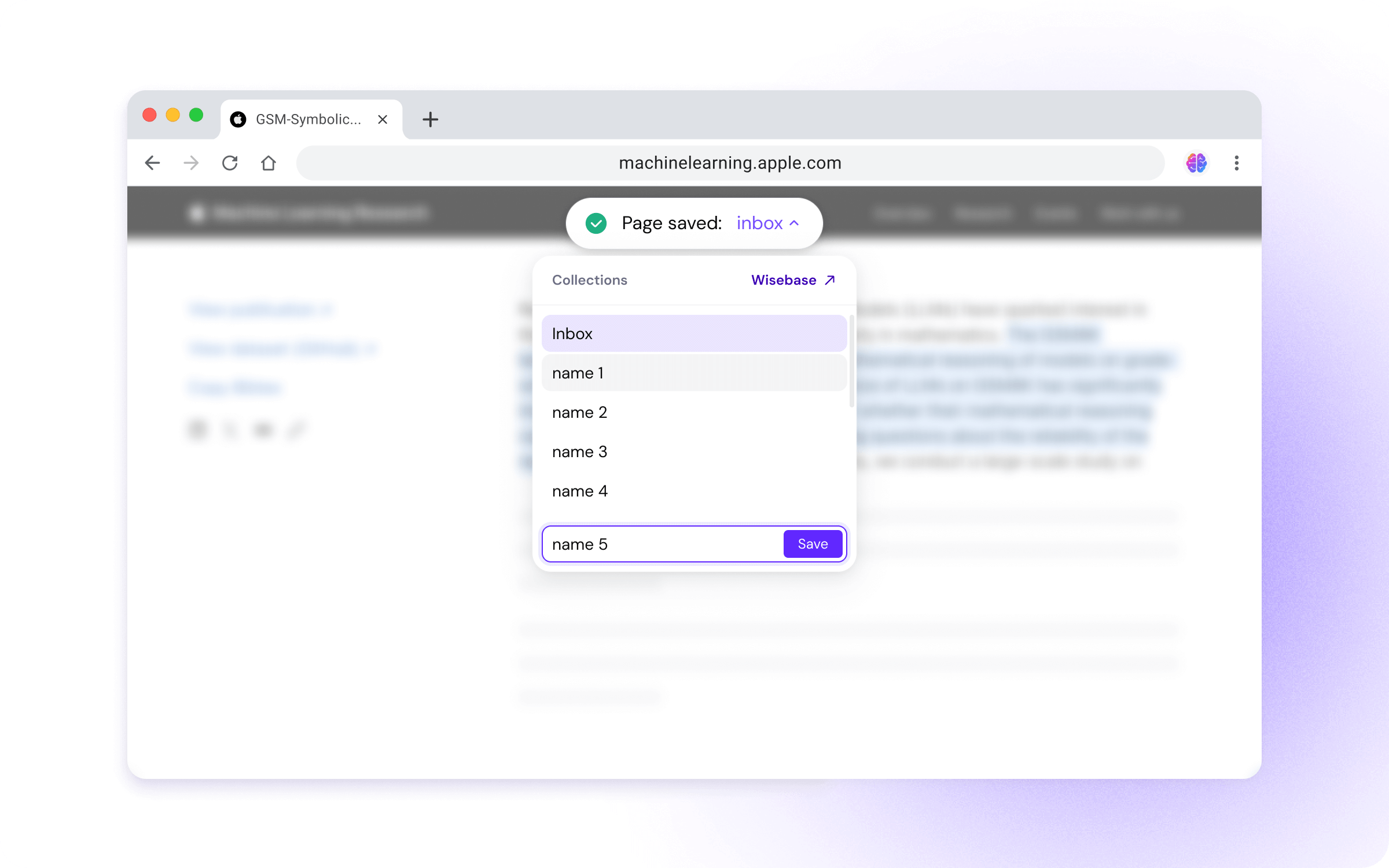
- Hover over highlights to remove them or click to open in Wisebase
2. Quick Save Button
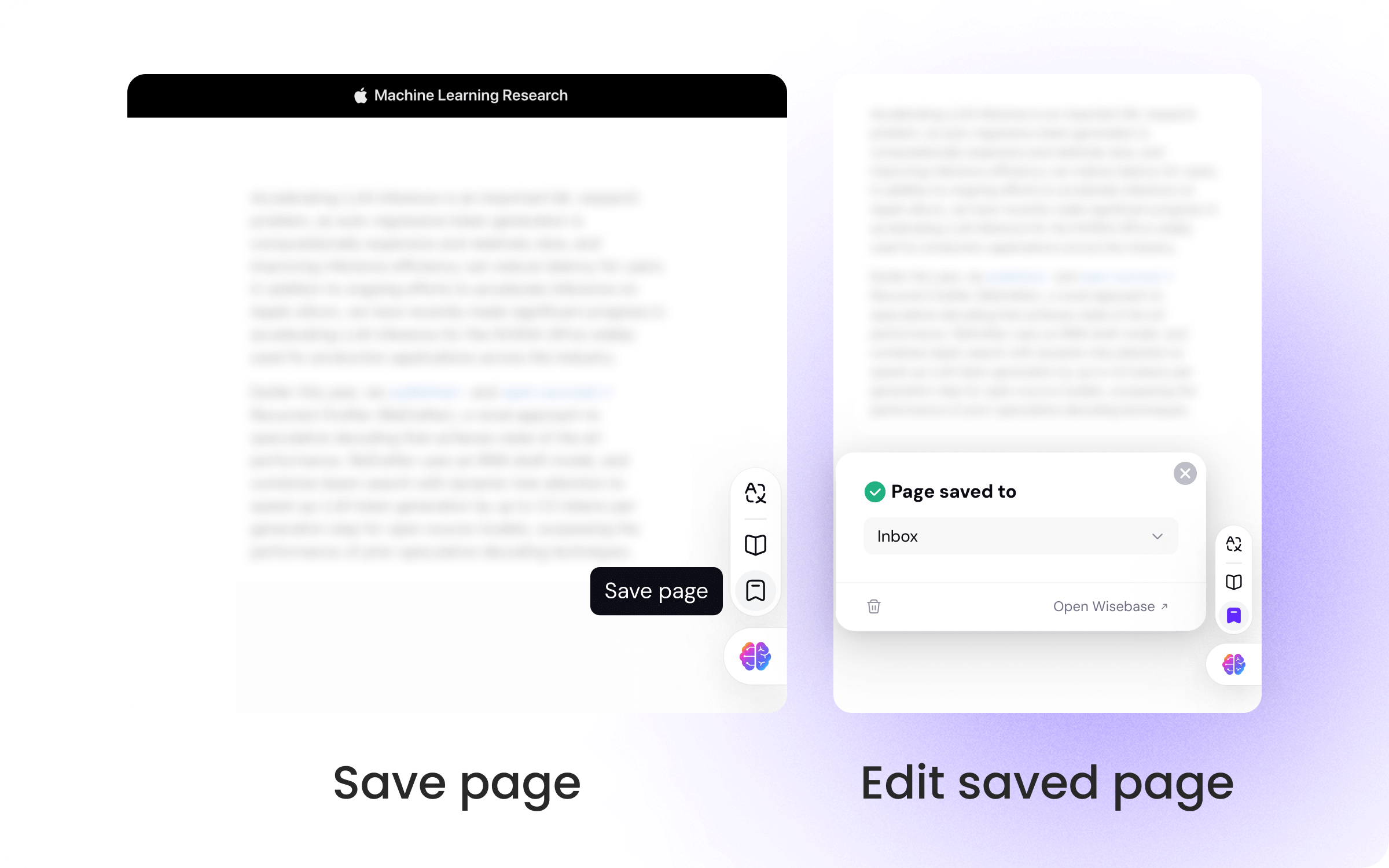
Look for the Sider icon at the bottom-right corner of any webpage:
- Click the "Save page" icon to save your page instantly
- All pages will be saved to AI Inbox by default, and you can easily move them to any Wisebase
- Use "Edit saved page" to select your preferred Wisebase for storage
Pro Tip:
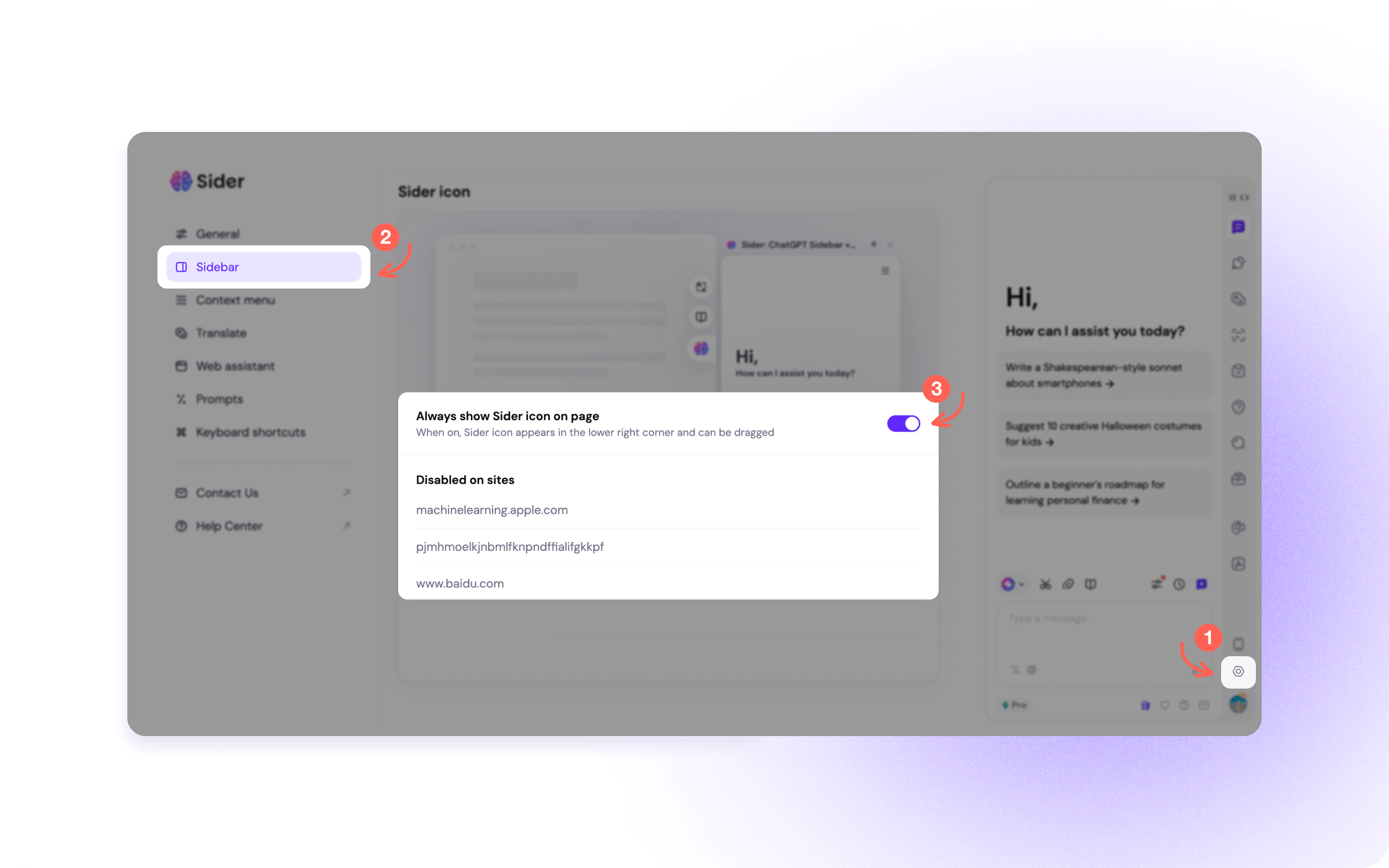
- If you don't see the Sider icon, just open Sider sidebar, click Settings > Sidebar, and toggle on the switch for Sider icon
3. Save Using Sidebar
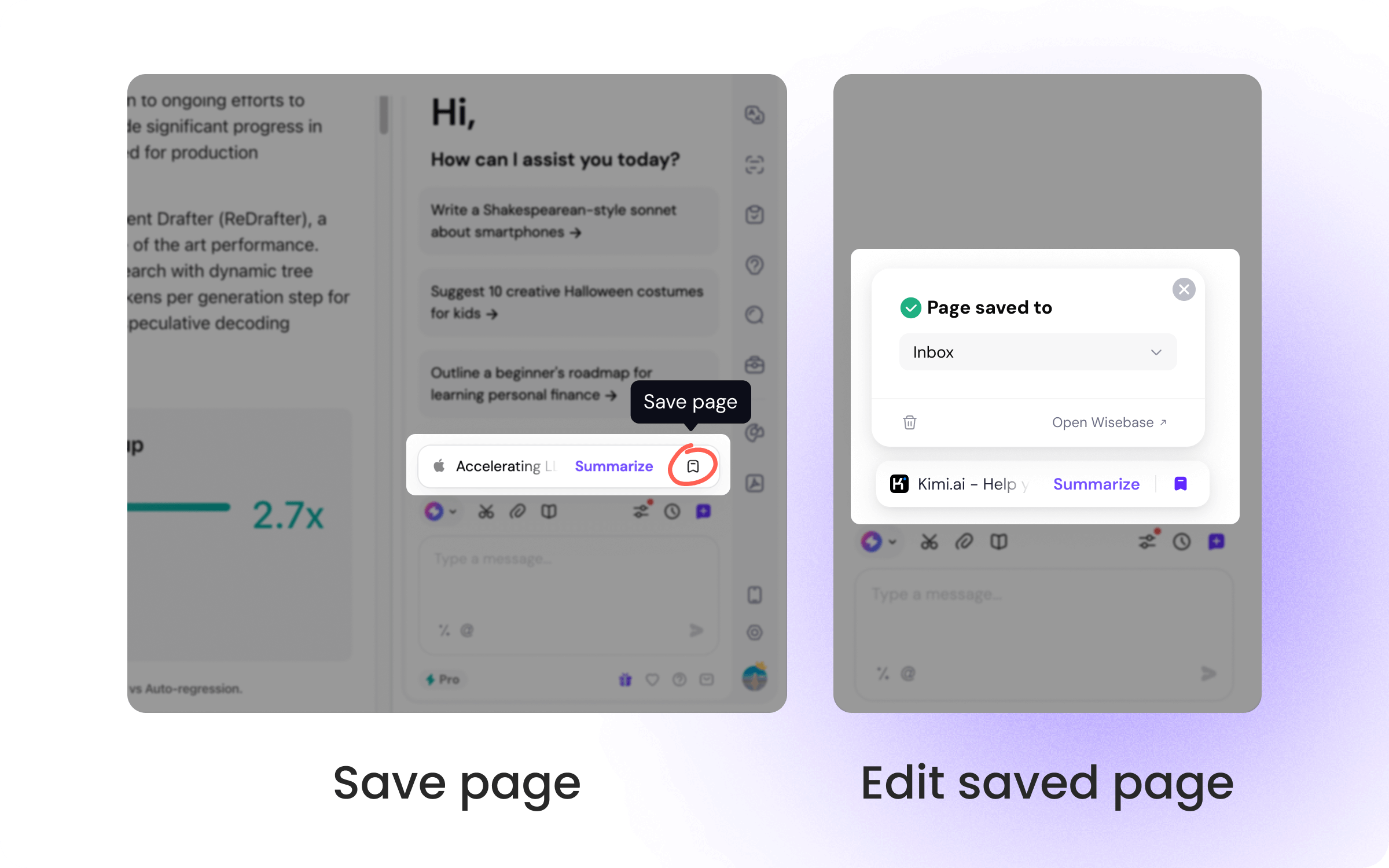
When browsing any website with the Sider sidebar open:
- Find the "Save page" button in the floating suggestion bar near the input box
- Click to save the current page
- Use "Edit saved page" to select your preferred Wisebase for storage
Manage and Understand Your Saved Content in Wisebase
The AI Inbox is your default landing space for newly saved content in Wisebase. Think of it as your digital triage center where all saved pages wait to be organized into specific Wisebases.
Smart Organization with AI Organize
Transform your scattered content into organized knowledge:
- Click "AI Organize" to receive intelligent classification suggestions
- Wisebase analyzes your content and recommends appropriate categories
- Accept suggestions with one click to automatically categorize files into relevant Wisebases

Multi-Document Chat: Connect the Dots
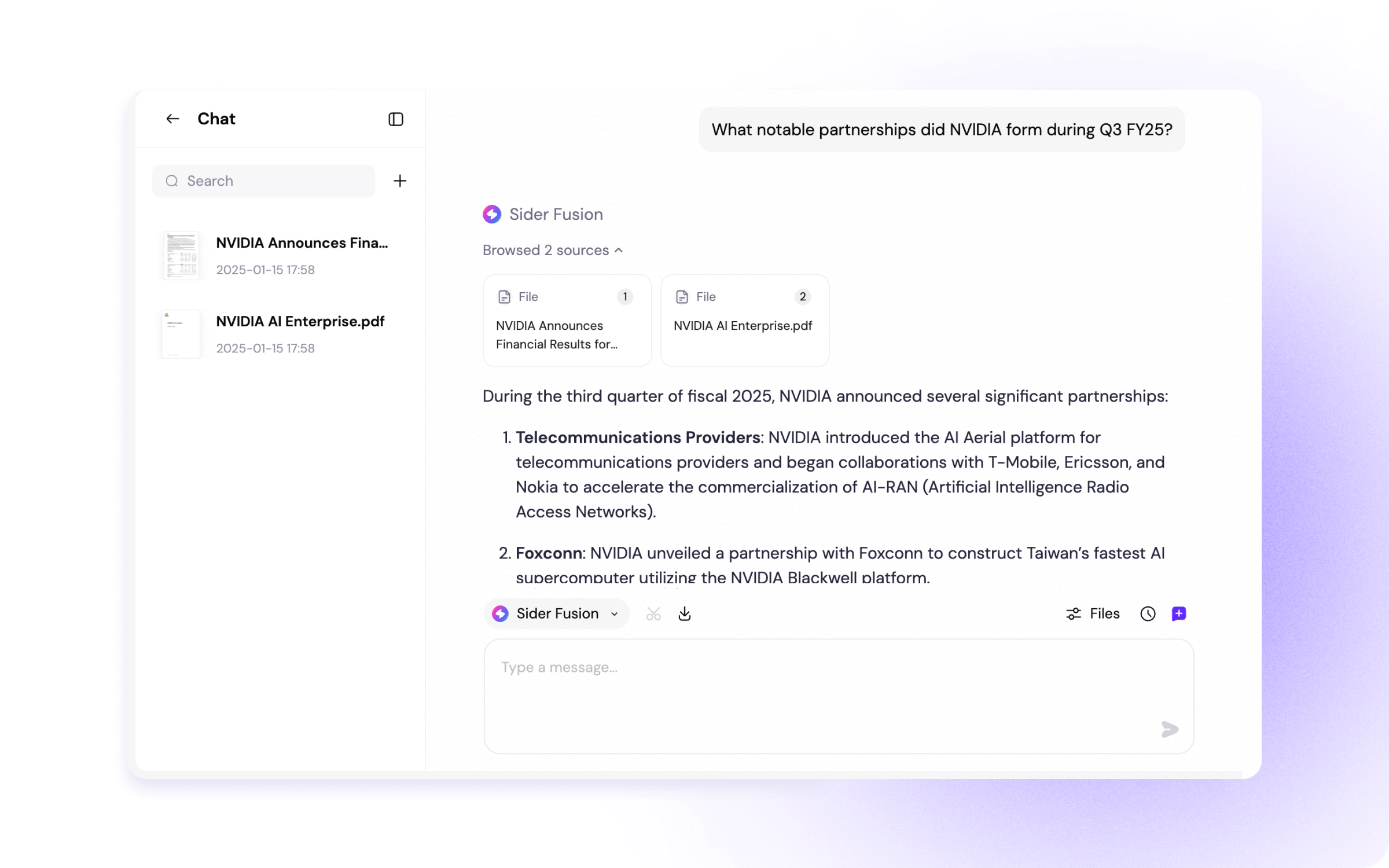
Each Wisebase folder becomes a focused knowledge hub where you can:
- Chat with all documents in a Wisebase simultaneously
- Discover connections between different sources
- Get comprehensive answers drawing from multiple references
Single-Document Deep Dive
Need to focus on specific content? Select any individual document to:
- Engage in detailed conversations about its content
- Ask specific questions about the document
- Extract key information and insights
- Generate summaries

This three-tier approach, from collection to organization to interaction, transforms your saved knowledge from static storage into dynamic and useful resources for your work and learning.
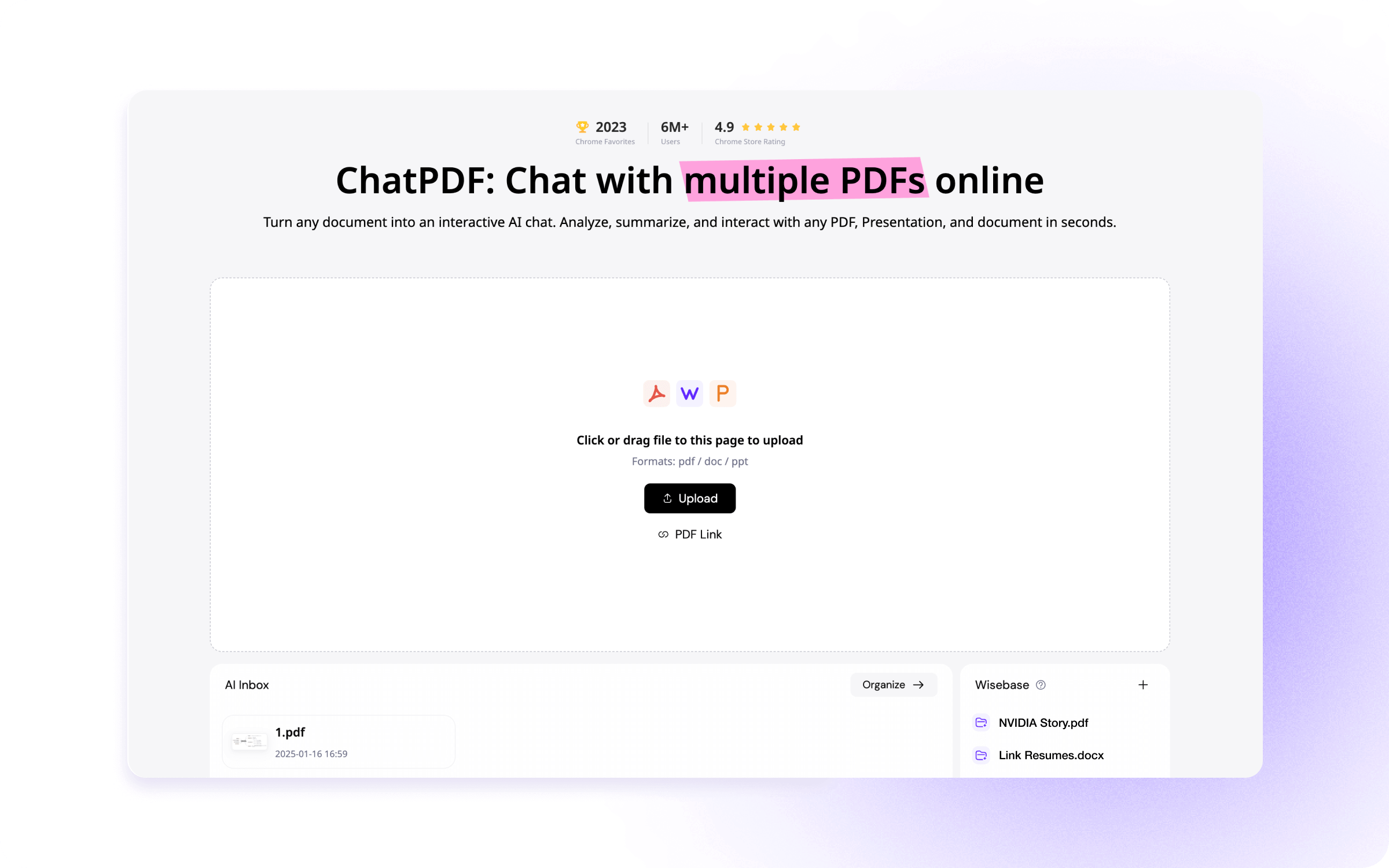
ChatPDF Update: Now Part of Wisebase
As part of our integration efforts, we've enhanced our popular ChatPDF feature to work seamlessly with Wisebase. Here's what's changed: :
- All your previous ChatPDF documents are now automatically available in Wisebase's AI Inbox
- The interface has been refreshed for a better user experience
- You can now chat with multiple PDFs together, not just one at a time
Who Benefits from Wisebase:
- Researchers: Streamline source collection and analysis
- Students: Create organized study materials libraries
- Professionals: Track industry insights effortlessly
- Content Creators: Build structured inspiration archives
- Knowledge Workers: Maintain a searchable digital library
Getting the Update
The extension will update automatically in your browser. If you're running Sider extension below v4.36.0, try to manually update it.
Haven't tried Sider before? Just download it now!
This update represents the first step in Sider's evolution from a sidebar utility to a comprehensive knowledge management system. We're gradually expanding our web-based features to provide you with a more integrated experience.
Start building your knowledge base today with these powerful new features.
Products
Wisebase
©2026 All Rights ReservedTerms of UsePrivacy Policy