- Home
- What's New
- Website
- One Image to Explain It All: Wisebase Integrates Nano Banana Pro
One Image to Explain It All: Wisebase Integrates Nano Banana Pro
Nano Banana Pro
Nano Banana 2
Jan 5, 2026
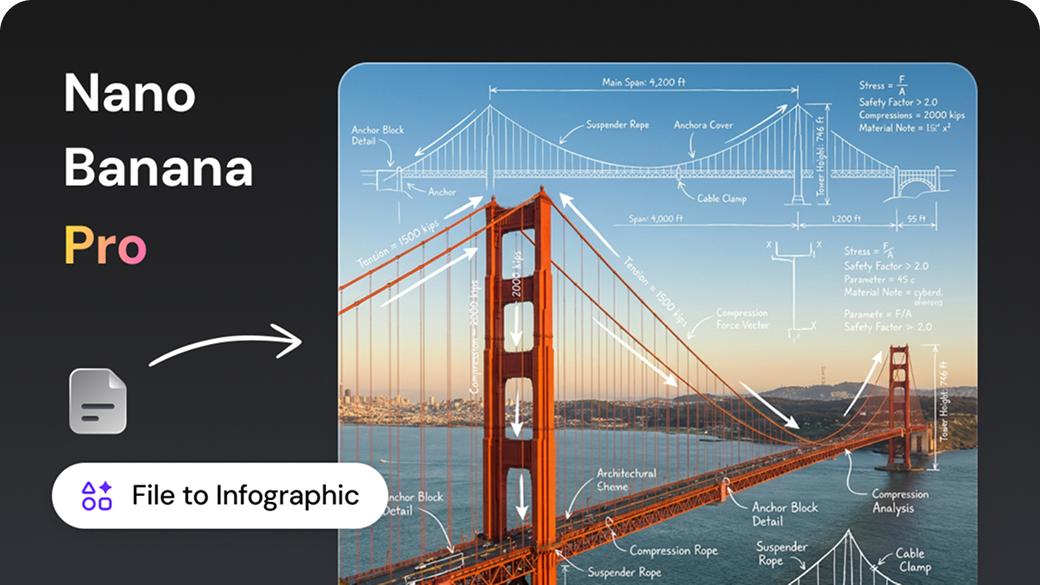
Struggling to present your reports, plans, or research?
- Finished the doc but don't know how to quickly explain it to others?
- Need an infographic for a presentation but lack design skills or time?
- Having a deep discussion but missing that one "summary image" to visualize it all?
Now, you can let AI handle the visuals directly within Wisebase.
We have deeply integrated Nano Banana Pro to let you:
- Turn a single file into an infographic with one click.
- Generate images while you chat (Visualizing the conversation).
- Automatically use Gemini 3 Pro in the background—with native Google support—for the best possible results.
File to Infographic: Turn Long Docs into "One-Glance" Visuals
What can this do for you? When you have content like:
- Research reports / Industry analysis / Survey summaries
- PRDs / Requirement docs / Product proposals
- Marketing plans / Operation strategies
- Business plans / Pitch decks
You can ask Wisebase to transform them into a structured Infographic instantly. It’s perfect for:
- Adding visual aids to research papers.
- Giving your boss a 5-minute overview of a complex plan.
- Showcasing key selling points to partners or clients.
- Posting core content on social media or your official website.
No design skills needed. No layout struggles. Just one button.
How to use it ?
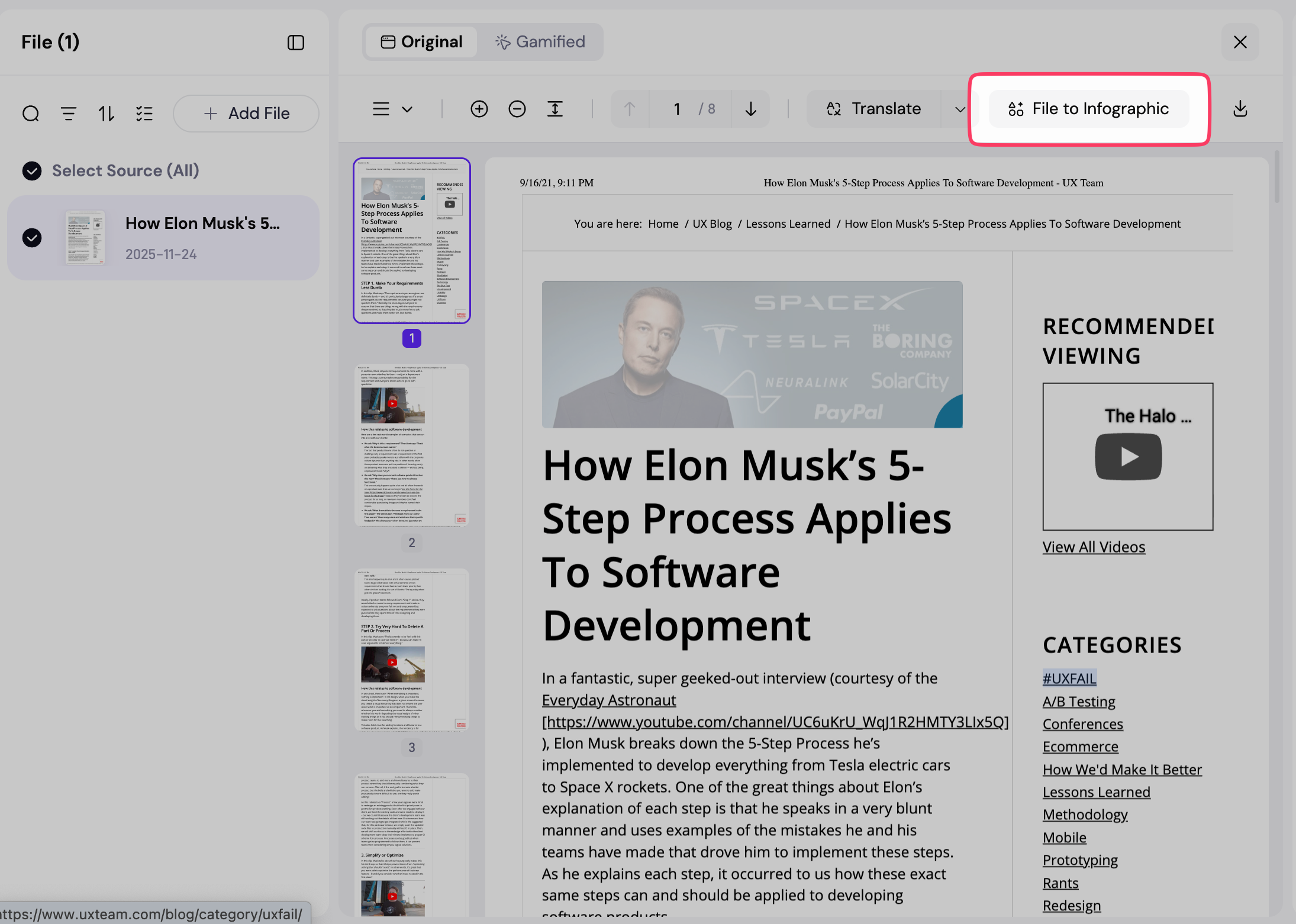
- Open any file in Wisebase (Word / Webpage / PDF / PPT, etc.).
- For text-based files (excluding images, video, or audio), you will see a 'File to Infographic' button in the top right corner.
- Click it, and the system will:
- Analyze the document and distill key insights.
- Convert these points into an optimized image prompt.
- Call Nano Banana Pro to generate the infographic.
- The image is sent directly to your chat for saving or discussion.
(Note: The button won't appear for image/audio/video files).
Use Nano Banana Pro in Chat: Visualize as You Talk
Beyond files, we’ve brought Nano Banana Pro to where you spend the most time—the chat window. Simply put: Your chats in Wisebase aren't just text anymore; they are visual creators.
Perfect Scenarios:
- Research: Analyze some papers and need a "Concept Map" of your conclusions.
- Product Design: Discussing a new feature and needing a "User Flow" or "Architecture Diagram."
- Review: reviewing a project and needing a "Timeline" or "Summary Infographic."
- Meetings: Want an automatic "Visual Summary" of your team's discussion.
- Brainstorming: Have an idea? Turn a simple sentence into a concept image.
You can use natural language, such as:
"Draw a user flow diagram for this PRD."
"Summarize our chat into an infographic divided by Background / Goals / Plan / Risks."
"Create a timeline showing the release schedule for these new features."
How to Use It ?
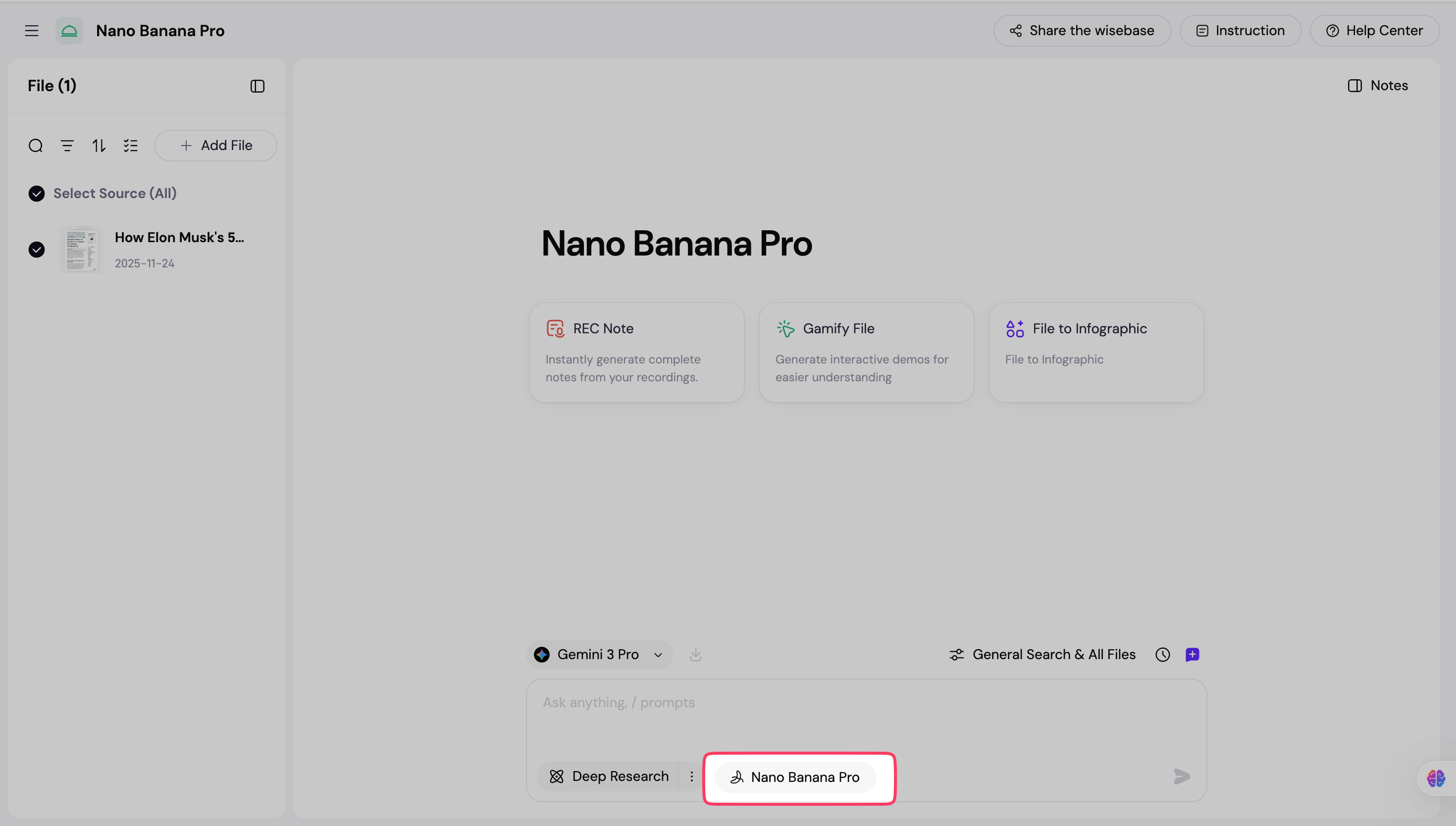
- Open any chat session.
- Locate the "Nano Banana Pro" button near the input box.
- The button is visible whenever the input box is active and ready for typing.
- Click the button to enable Nano Banana Pro mode.
- Type your request into the input box. For example:
- Write a simple prompt (e.g., "Draw a SaaS product architecture diagram").
- Reference the current chat: "Visualize the feature structure we just discussed."
- Or instruct it: "Create an infographic based on the file I just uploaded."
- After you click Send, the system automatically:
- Uses Gemini 3 Pro to interpret your request, context, and related files.
- Calls Nano Banana Pro to produce the image.
- Once complete, the image appears directly in your chat, ready for immediate use. No design skills or complex prompts are needed. Simply describe what you want in plain language, and you’ll get a professional-grade infographic.
Why Default to Gemini 3 Pro? Accuracy Matters.
From your perspective, you only see three steps: Select File → Click Button → Get Image.
But behind the scenes, to ensure every image is accurate, stable, and professional, we made a key decision: All context understanding for Nano Banana Pro defaults to Gemini 3 Pro. We follow Google's native best practices to achieve the perfect result.
Three key benefits:
- Better Understanding: Gemini 3 Pro excels at processing long documents and complex, multi-turn conversations, ensuring the "key points" it extracts match what you actually care about.
- On-Topic Visuals: When the model truly understands "what you mean," the instructions it sends to the image generator are precise. No more off-topic or messy diagrams.
- Seamless Experience: The switch to Gemini 3 Pro happens automatically during generation, so you aren't interrupted by model settings.
Summary: What Does This Save You?
Let’s summarize with a few real-world scenarios:
- Finished a proposal but dread making the PPT?
- Directly upload your plan to Wisebase → Generate an infographic with one click.
- Use this image for sharing, presenting, and reviewing—it is significantly faster than building slides manually.
- Need to give your boss or client a quick progress update?
- Clarify key milestones in the chat → Ask Nano Banana Pro to draw a timeline infographic.
- Drop it into your report or email, and they will grasp the schedule at a glance.
- Lots of team discussion, but scattered outcomes?
- After the meeting, just tell Wisebase: "Summarize this chat into an infographic for us."
- The whole team can align around this single visual to drive next steps.
- Can't draw or design, but want "Pro-level" visuals?
- Just explain what you need in plain language, and let the AI handle the rest.
Get started today
Not yet on a premium plan? Upgrade now to unlock Nano Banana Pro and other advanced AI models. Your first generation will show you why this upgrade matters.
Products
Wisebase
©2026 All Rights ReservedTerms of UsePrivacy Policy