GPT-5.2 Browser Extension - Your Always-Ready AI Assistant

Access GPT-5.2 directly in your browser sidebar. Chat, read, summarize, write, and translate on any webpage. No more switching tabs or copying-pasting. Your AI assistant is always there when you need it.

Install Sider Extension
10M+ Active Users
4.9/5 User Rating
50K+ 5-Star Reviews

Powerful GPT-5.2 Features in Your Browser
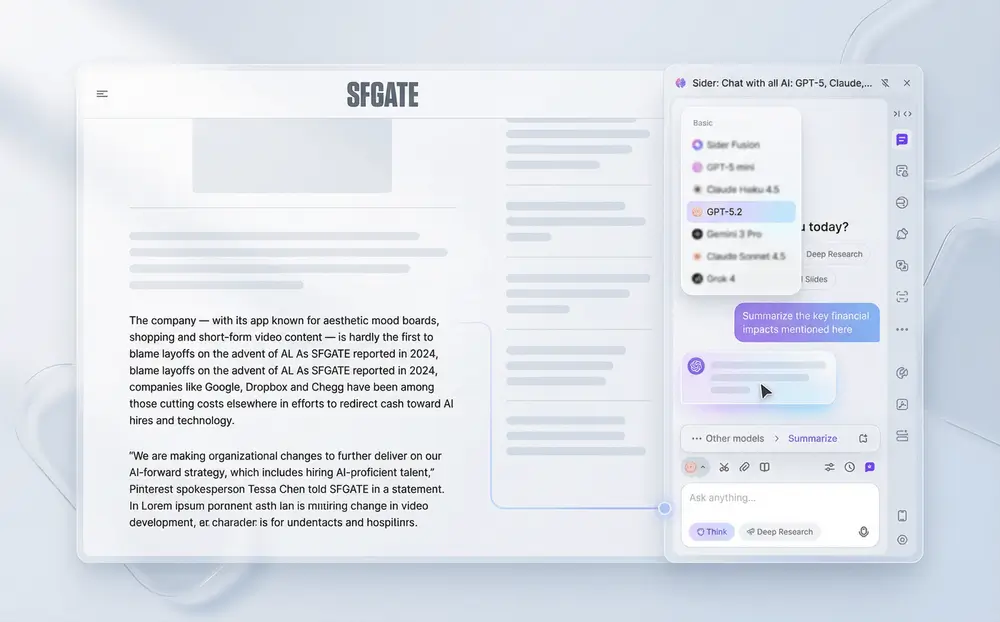
GPT-5.2 chat interface analyzing a webpage content in sidebar

Context-Aware Chat

Chat with GPT-5.2 about any webpage you're viewing. The AI reads and understands the full context - whether you're analyzing financial reports, reading research papers, or reviewing technical documentation. Ask questions, get insights, and dive deeper into content without copying or pasting anything.
Download Sider Extension
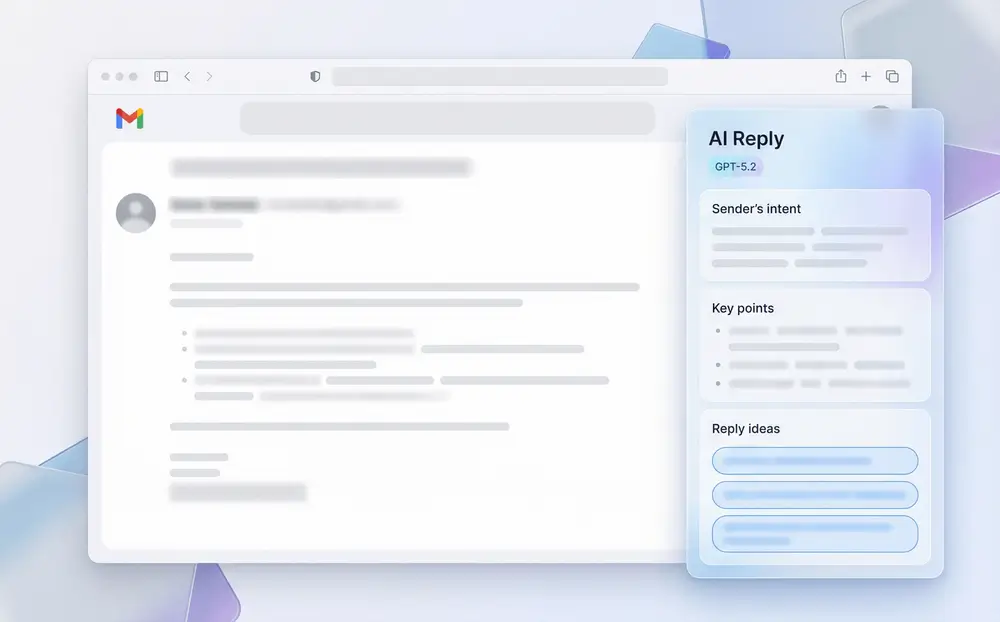
GPT-5.2 writing assistant integrated in email composition window

Instant Writing Assistant

Write emails, social media posts, and comments with GPT-5.2's advanced language capabilities. Sider's Write feature integrates directly into input boxes on Gmail, Twitter (X), LinkedIn, Notion, and more. Draft, polish, and expand content without switching tabs - perfect for micro-writers who need efficiency.
Download Sider Extension
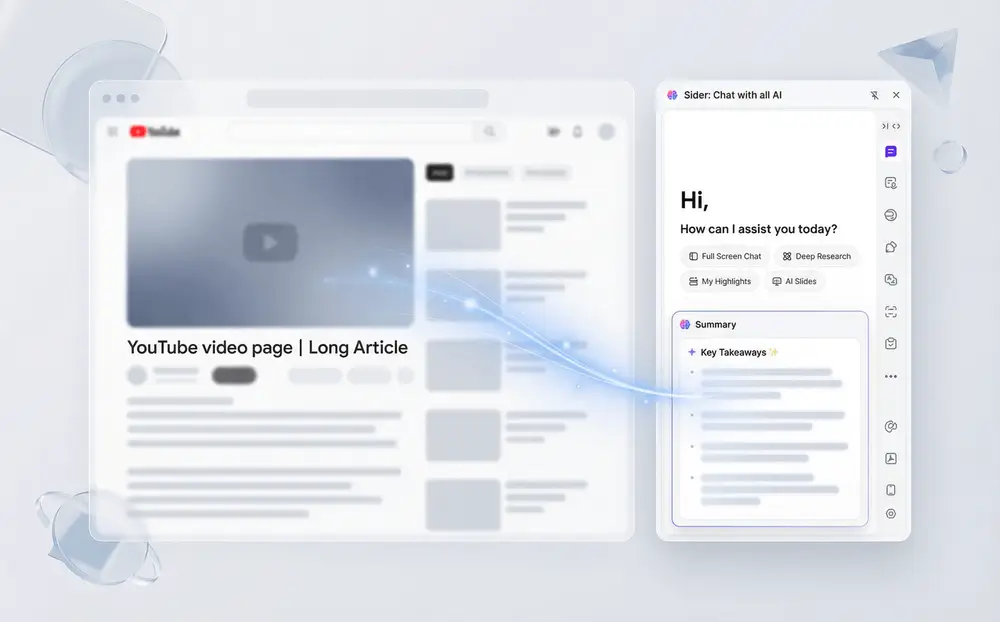
GPT-5.2 summarizing a long article with key points highlighted

Smart Content Summarization

Save time with GPT-5.2's powerful summarization. Summarize lengthy articles, research papers, and videos in seconds. Get key insights from YouTube videos, extract core points from reports, and quickly understand complex documents. Perfect for content skimmers who need to grasp information fast.
Download Sider Extension
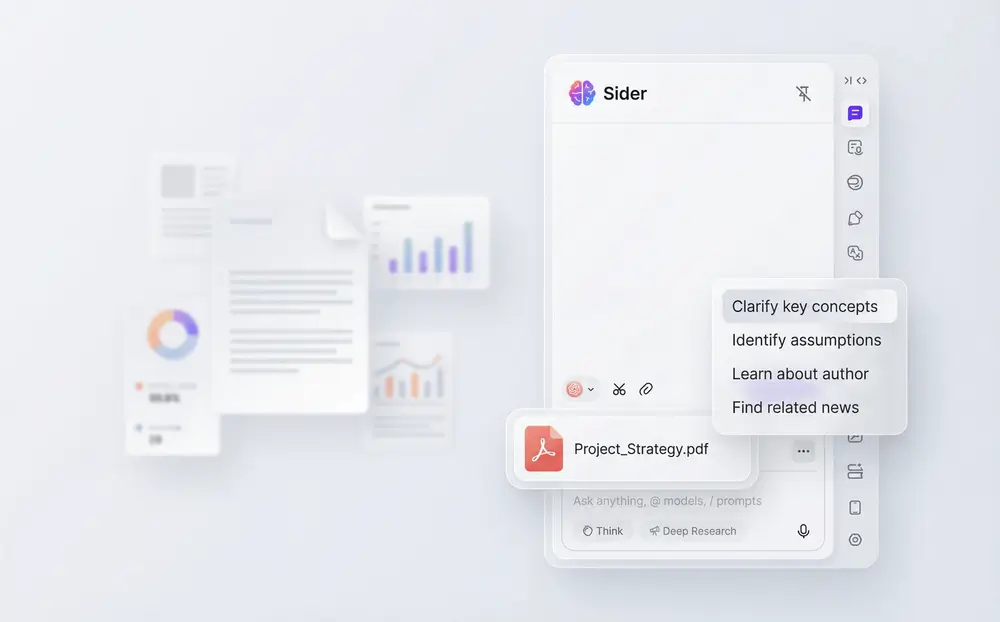
GPT-5.2 analyzing a PDF document with extracted information displayed

Document & Image Analysis

Upload and analyze PDFs, images, and audio files directly in the sidebar. GPT-5.2 processes documents, extracts information, and answers questions about uploaded content. Analyze charts, read text from images, transcribe audio, and get insights from any file format without leaving your browser.
Download Sider Extension
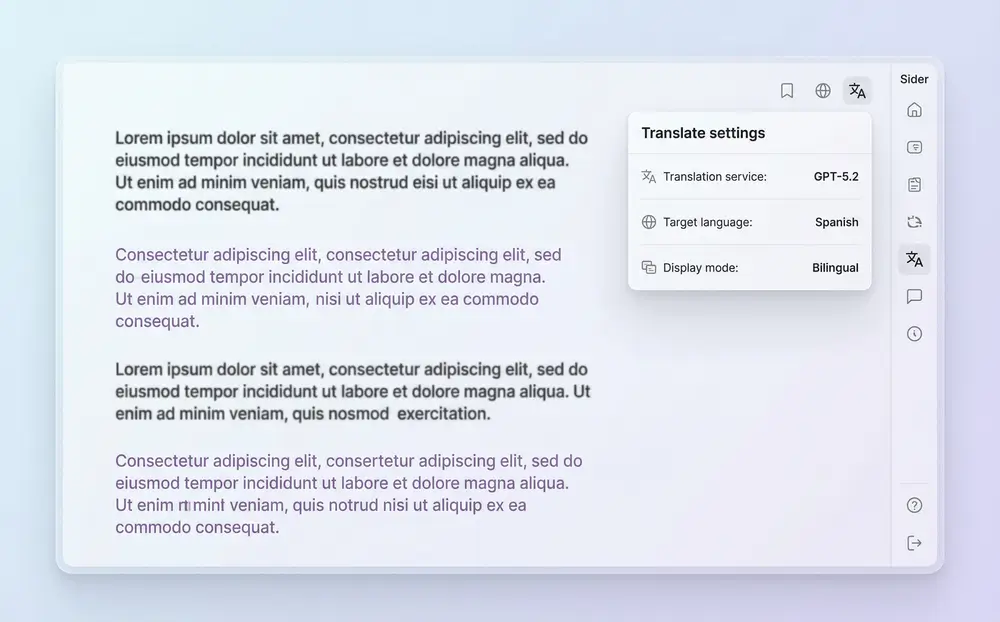
GPT-5.2 translating a webpage from Chinese to English in sidebar

Seamless Translation

Translate webpages, documents, and conversations in real-time with GPT-5.2's advanced language understanding. Read foreign-language content effortlessly, translate research papers, communicate across languages, and work with international teams. Perfect for researchers and professionals dealing with global content.
Download Sider Extension
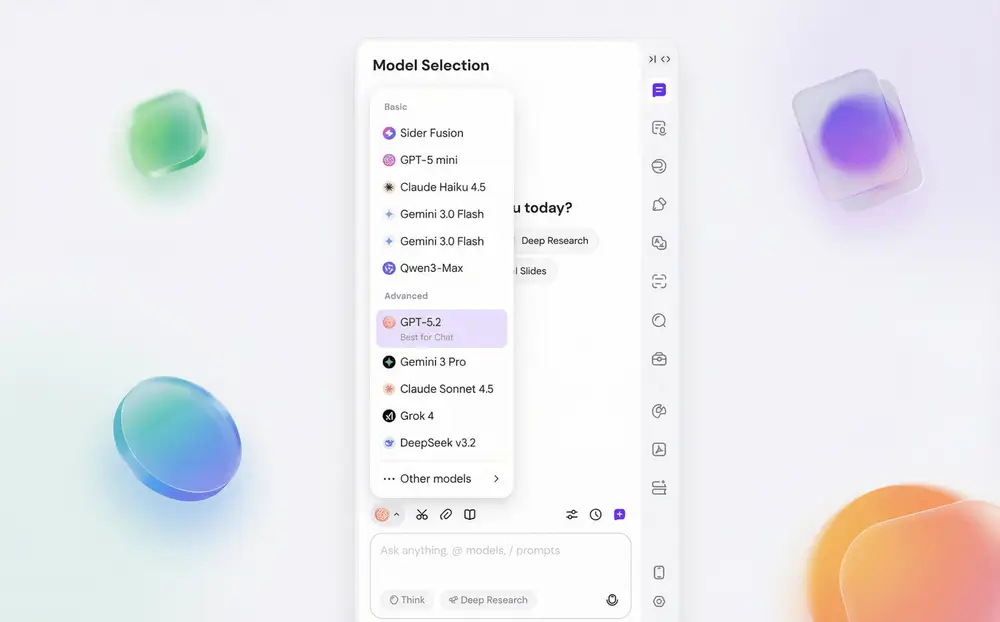
Model selection dropdown showing GPT-5.2 and other AI models available

Multiple AI Models

Switch between GPT-5.2, GPT-5.2 Pro, GPT-5.2 Codex, Claude 3.5, Gemini, and more from a single interface. Use different models for different tasks - GPT-5.2 for complex reasoning, Claude for creative writing, Codex for coding. Sider is your all-in-one AI platform, eliminating the need for multiple subscriptions.
Download Sider Extension

How to Use GPT-5.2 with Sider

Download and install Sider browser extension for Chrome, Edge, Safari, Firefox
1

Download & Install Sider

Install Sider's browser extension for Chrome or Edge. The installation takes less than a minute and gives you instant access to GPT-5.2 and other AI models directly in your browser sidebar.
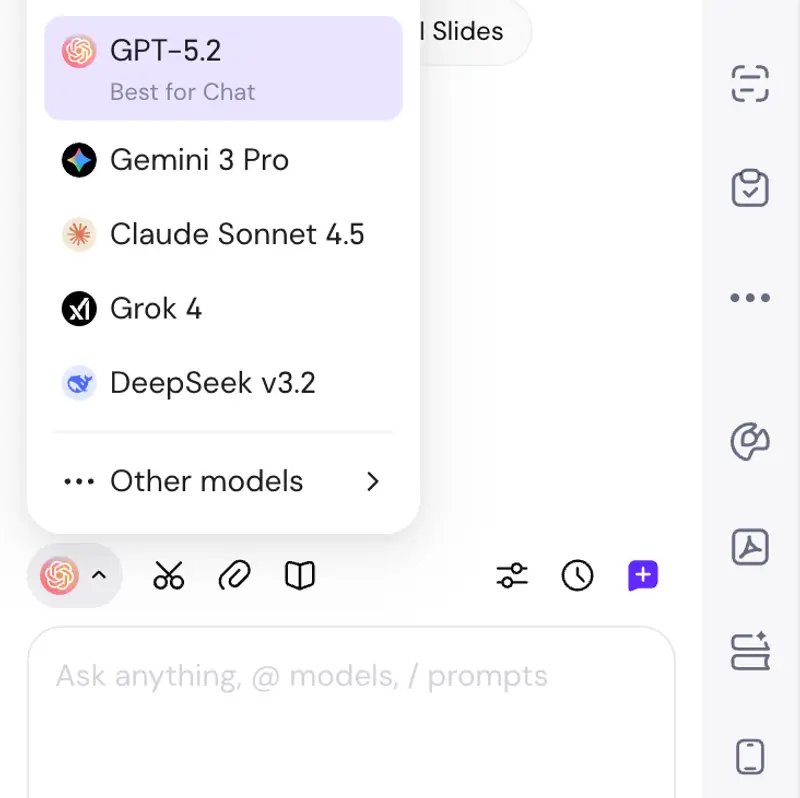
Sider sidebar open with Chat selected and GPT-5.2 model chosen from dropdown
2

Open Chat & Select GPT-5.2

Click on the Sider icon to open the sidebar, then click on Chat. In the model dropdown, select GPT-5.2 from the available options.
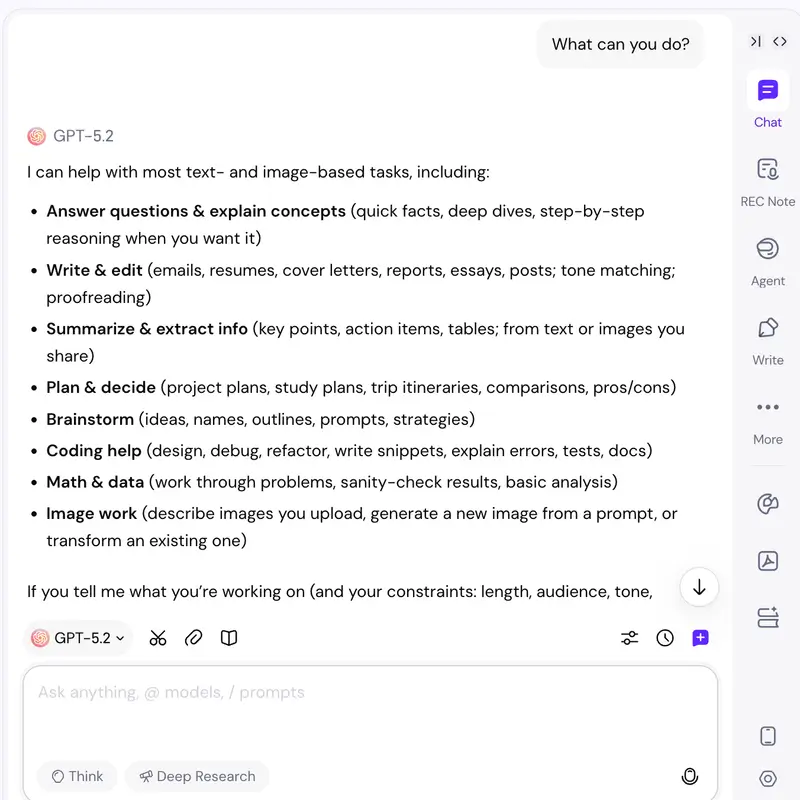
GPT-5.2 being used across multiple webpages - chatting, writing, and summarizing
3

Start Using GPT-5.2 Everywhere

Chat with GPT-5.2 about the webpage you're viewing, use the Write feature to draft emails and posts, summarize long articles, translate foreign content, or upload documents for analysis.

Why Professionals Choose Sider for GPT-5.2

Context-Aware Intelligence

Unlike standalone AI tools, Sider's GPT-5.2 understands the full context of what you're viewing. Read entire webpages, analyze documents, and get insights based on actual content - not just what you copy and paste. Perfect for investors analyzing reports, researchers reviewing papers, and professionals dealing with complex information.

Seamless Workflow Integration

Sider integrates GPT-5.2 directly into your browsing experience. Write emails in Gmail, compose posts on Twitter (X), draft documents in Notion, and comment on LinkedIn - all without switching tabs or breaking your flow. No more copying to ChatGPT and pasting back. Your AI assistant is always right where you need it.

Flexible Credit System

Sider uses a credit-based system that gives you flexibility. Free users receive daily basic credits for basic models and features, while paid users can purchase both basic and premium credits to access all models including GPT-5.2 and advanced features. Choose what works for your needs without multiple platform subscriptions.

Trusted by Millions of Professionals Worldwide

100K+

Daily Active Users

5M+

AI Interactions Per Day

180+

Countries

2+ hours

Average Time Saved Daily

What Users Say About GPT-5.2 in Sider

As an investment analyst, I read dozens of financial reports weekly. Sider's GPT-5.2 reads entire reports in my browser sidebar and answers questions about key metrics, risks, and insights instantly. It's like having a brilliant research assistant who never gets tired. My analysis time has dropped by 60%.

David Chen

Investment Analyst, Top-Tier Firm

I manage social media for multiple brands and used to spend hours drafting posts. Now I use Sider's Write feature with GPT-5.2 directly in Twitter, LinkedIn, and Instagram. The AI understands each platform's style and generates perfect content. My engagement rates increased by 40% in the first month.

Sarah Miller

Social Media Manager

As a developer, I need to learn new technologies constantly. Sider's GPT-5.2 summarizes technical documentation, explains code examples, and even helps me debug by reading error messages. I can't imagine going back to switching between documentation tabs. Absolutely essential tool for any developer.

Michael Rodriguez

Senior Software Engineer

Frequently Asked Questions

GPT-5.2 is OpenAI's most advanced AI model with enhanced reasoning, larger context windows, and improved performance across complex tasks. When used through Sider's browser extension, you can access GPT-5.2 directly in your sidebar for instant assistance on any webpage, making it perfect for flow-based tasks like research, writing, and analysis.

Simply download and install Sider's browser extension, open the sidebar, click on Chat, and select GPT-5.2 from the model dropdown. You can then chat directly, read and summarize the webpage you're viewing, translate content, or analyze documents and images - all without leaving your current tab.

Sider operates on a flexible credit system. Free users receive daily basic credits that can be used with basic models and free features. Paid users can purchase both basic and premium credits to access all models including GPT-5.2 and advanced features. Different models consume different types of credits - some use basic credits, others require premium credits.

Sider is designed for 'flow-based tasks' - quick, frequent AI interactions throughout your browsing experience. While ChatGPT's website is great for dedicated sessions, Sider's GPT-5.2 extension keeps AI always accessible in your sidebar, allowing you to chat with context-aware AI about the exact webpage you're on, write emails without switching tabs, and get instant assistance without breaking your workflow.

Absolutely! Sider's GPT-5.2 can read, analyze, and summarize any webpage you're viewing. Whether you're analyzing financial reports, reading research papers, or reviewing technical documentation, GPT-5.2 understands the context of the page and provides relevant insights, translations, and summaries tailored to what you're reading.

Yes! Sider is an all-in-one AI platform that supports multiple models including GPT-5.2, GPT-5.2 Pro, GPT-5.2 Codex, Claude 3.5, Gemini, and others. You can switch between models depending on your task - use GPT-5.2 for complex reasoning, Claude for creative writing, or any model that best fits your needs.

Yes! Sider's Write feature integrates GPT-5.2 directly into input boxes across websites. Whether you're composing emails in Gmail, posting on Twitter (X), writing in Notion, or commenting on LinkedIn, you can use GPT-5.2 to draft, edit, polish, and expand your content without leaving the page.

Transform Your Browsing with GPT-5.2 Today

Join millions of professionals who use Sider to access GPT-5.2 directly in their browser. Fast, flexible, and designed for your workflow.

Install Sider Now