- Home
- What's New
- Browser Extension
- Voice Input Now Available in Sider Extension
Voice Input Now Available in Sider Extension
Sider v4.41.0
voice input
speech to text
Feb 12, 2025Version: 4.41.0
Sider now supports voice input! Communicate naturally by speaking your messages instead of typing. All users can:
- Convert speech to text instantly
- Record messages up to 3 minutes long
- Enjoy hands-free AI assistance
Permission Setup Guide
Before using “Voice Input”, ensure microphone access is enabled (Note: Your microphone is usually enabled. Check these settings if you encounter issues.):
1. System Microphone Access
Windows:
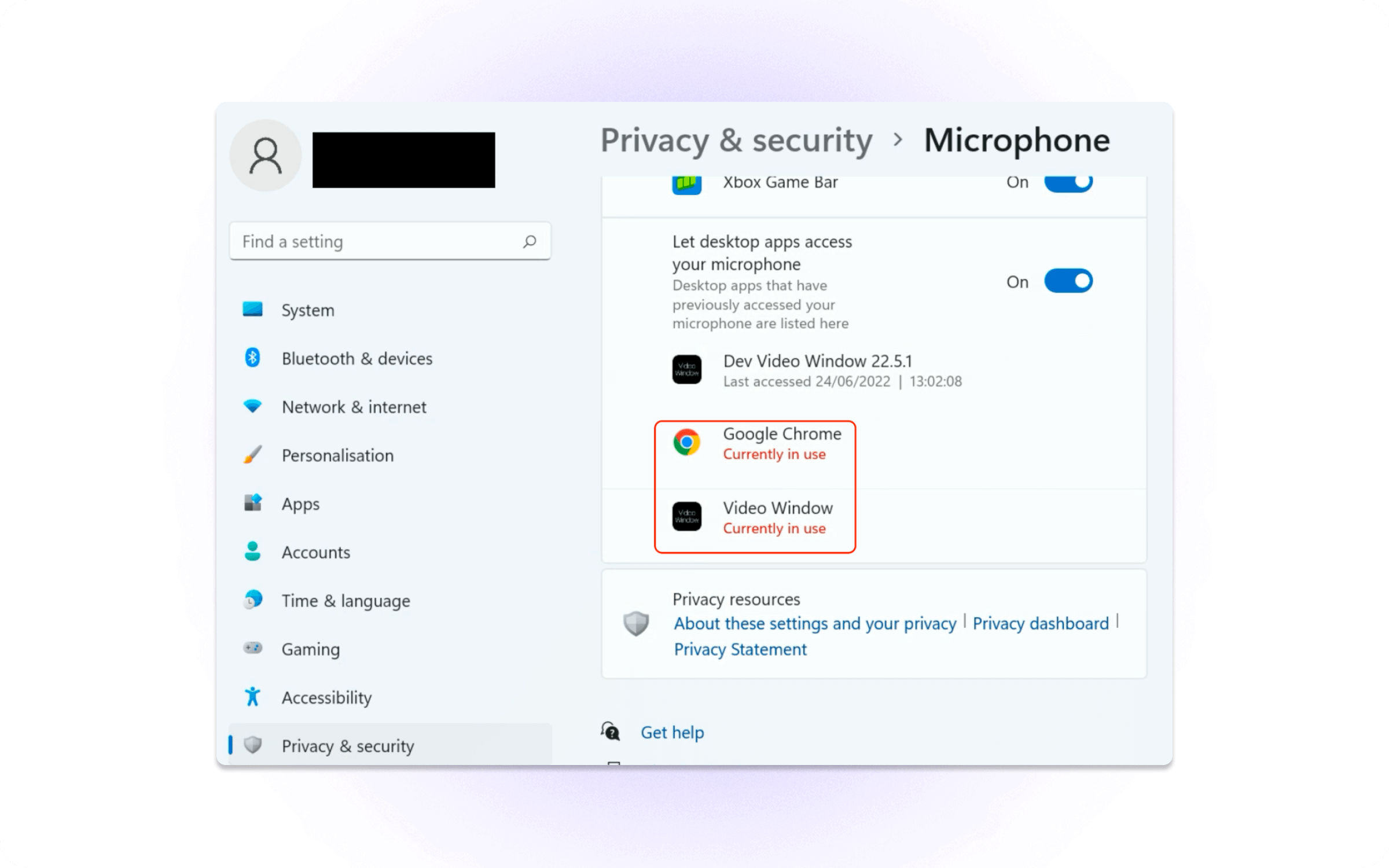
- Go to System Settings > Privacy & Security
- Click “Microphone”
- Enable browser access (Chrome/Safari/Edge)
Mac:
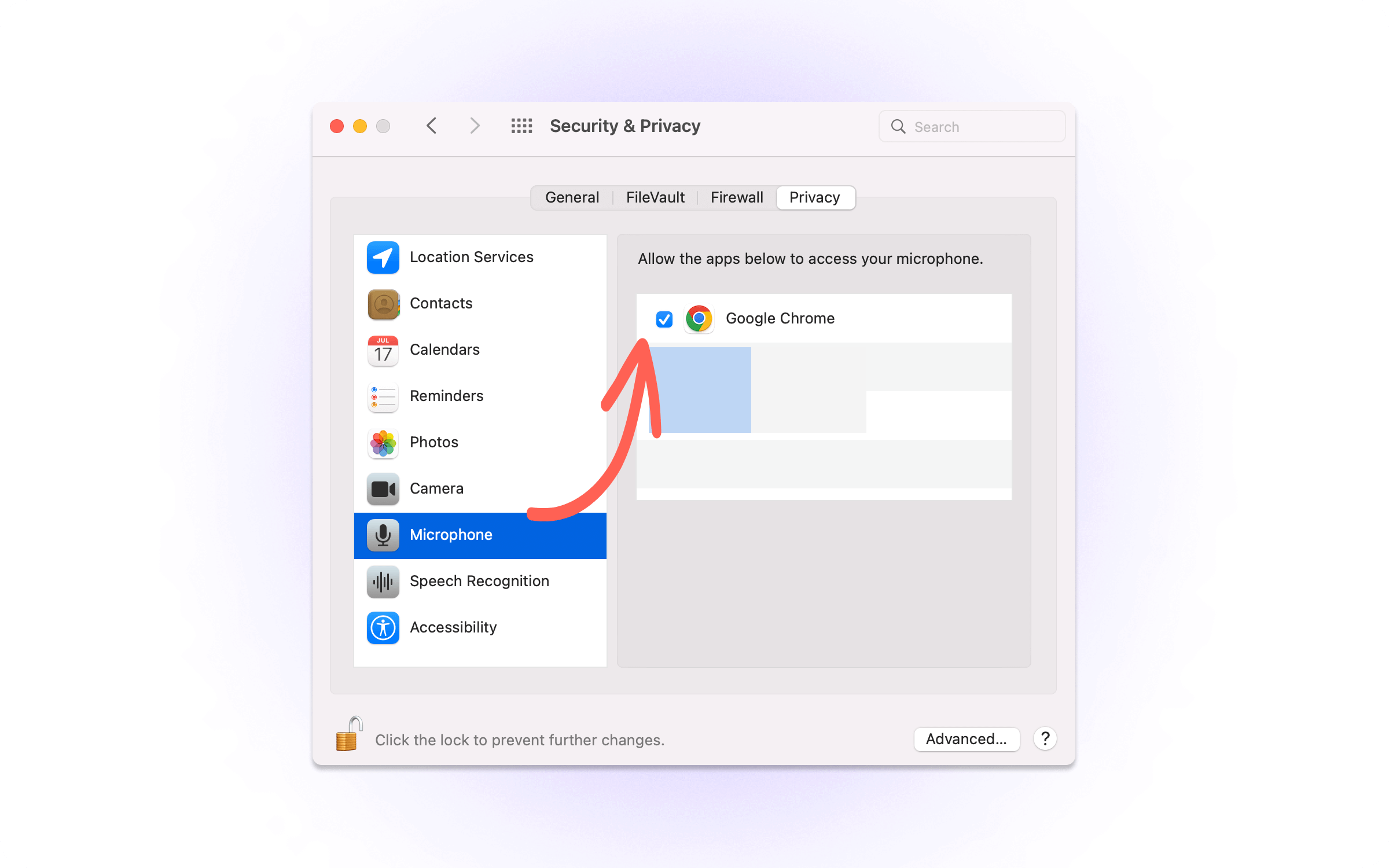
- Go to System Settings > Privacy & Security
- Select "Microphone"
- Enable browser access (Chrome/Safari/Edge)
2. Browser Permission (One-Time Setup)
When first clicking “Voice Input” in Sider:
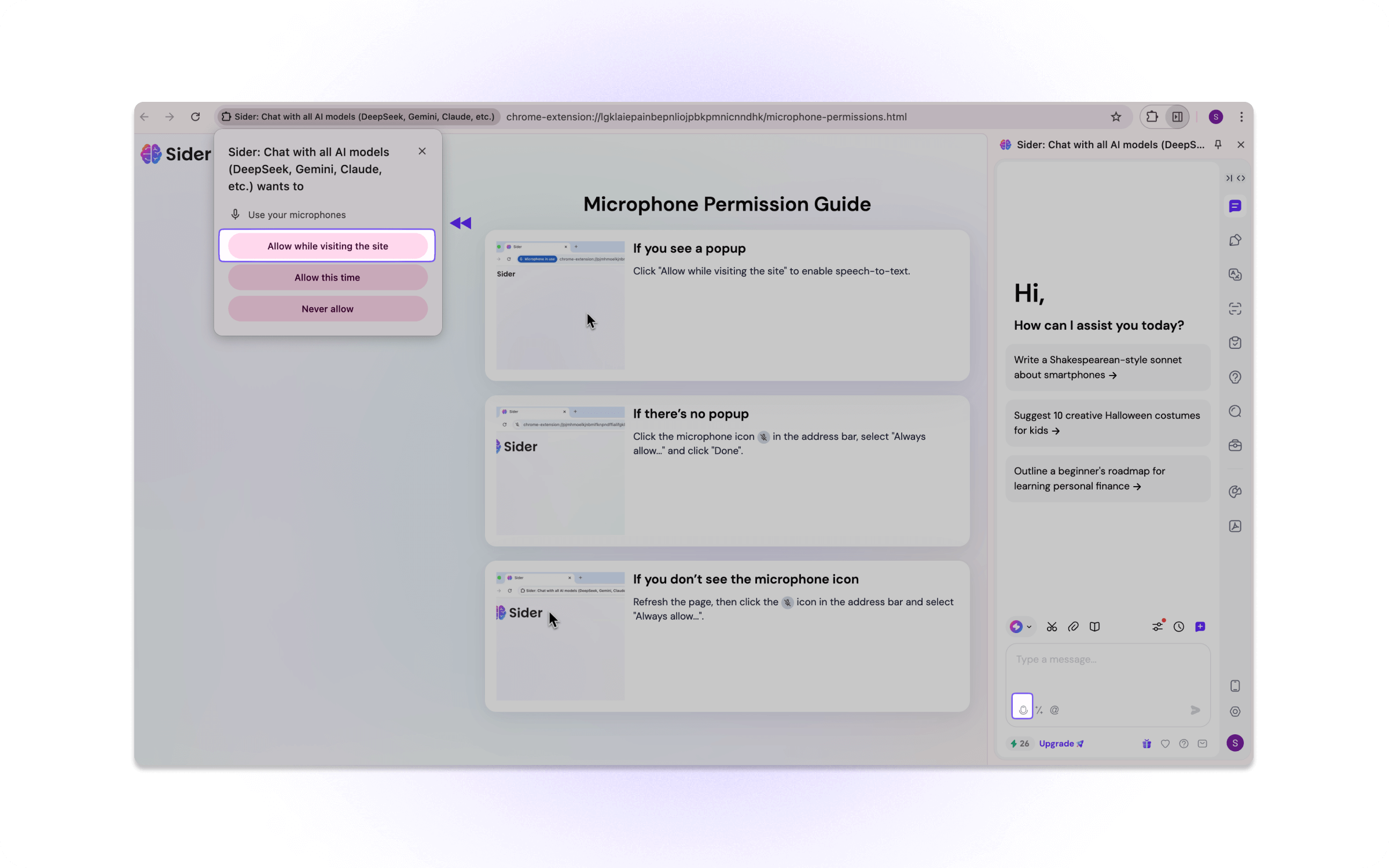
- Click "Allow" in the browser popup
- Refresh Sider if the permission doesn't activate immediately
How to Use Voice Input
Once the above permissions were granted, you can follow the steps to use “Voice Input” feature:
- Click the Sider sidebar icon and select "Chat"
- Click the “Voice Input” button (bottom-left of input box)
- Speak naturally and watch your speech convert to text automatically
- Click “Send” to send the message
Update Information
✅ Current Users: You've already received the update automatically!
We're excited to make AI assistance more accessible! 🚀
Products
Wisebase
©2026 All Rights ReservedTerms of UsePrivacy Policy