- Home
- What's New
- Browser Extension
- Smarter Thinking, Searching, and Saving
Smarter Thinking, Searching, and Saving
Sider v5.1.0
Think (R1) Mode
Enhanced Chat Search
Mar 23, 2025Version: 5.1.0
Sider v5.1 is all about boosting your AI experience by making our responses smarter, our search more precise, and introducing a handy way to organize valuable insights.
1. Smarter Thinking with Think (R1) Mode
We're taking the brainpower of Sider to the next level! Think (R1) Mode, which uses the advanced DeepSeek-R1 model, is now officially released after its testing period. When you need really in-depth answers and are using a non-reasoning model, Think (R1) Mode boosts the thinking power to give you comprehensive and insightful results.
Important Note: Think (R1) Mode is not available when using Super advanced models and DeepSeek R1 70B in Sider. It costs 1 Advanced Credit per use.
How to Use It:
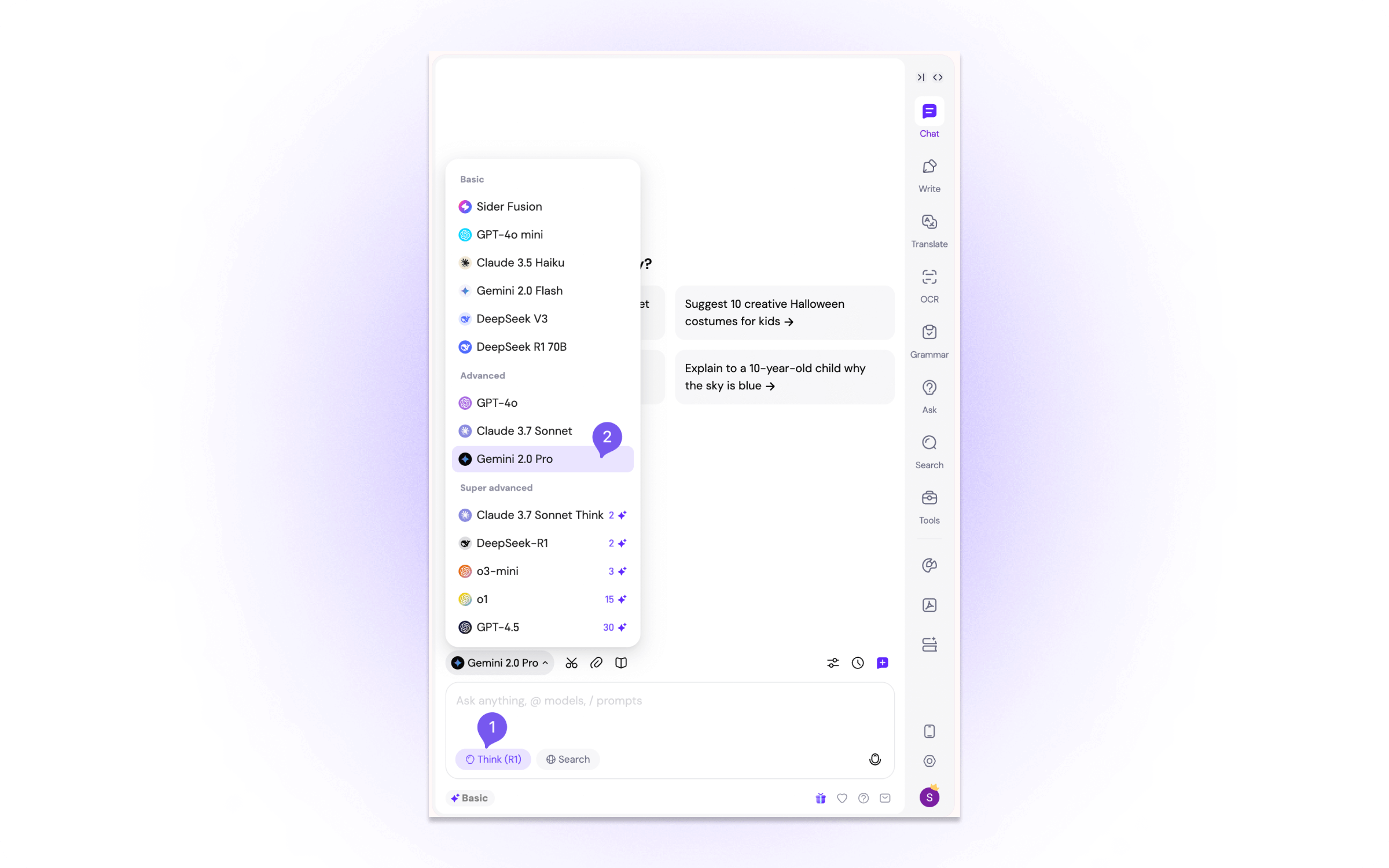
Step 1. Click to enable the Think (R1) button at the bottom of your input box.
Step 2. Select your preferred model to use.
Step 3. Type your question and get enhanced answers!
2. Enhanced Chat Search: Find Precisely What You Need
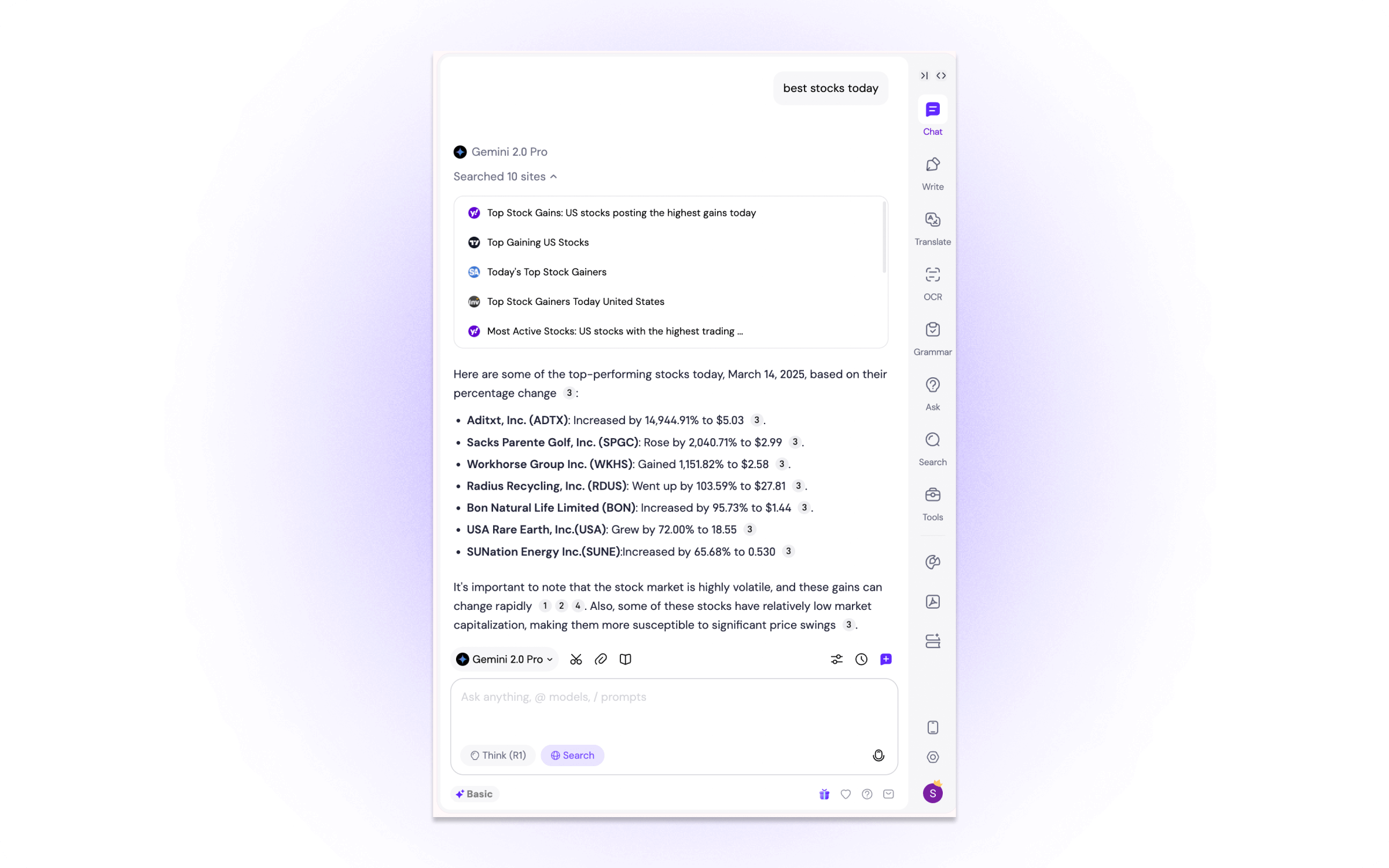
We've improved the Search function (formerly known as Web Access) in Chat Controls to make it even more powerful. Now, when you use Search in Sider, you'll get:
- More Relevant Results: Better precision in finding exactly what you're looking for
- More Sources: Expanded search results to give you a wider range of information
3. Save as a Note: Organize Your AI Insights
Introducing a seamless way to keep track of the valuable information Sider provides! With the new "Save as a note" feature, you can now directly save AI-generated answers to Wisebase, your personal knowledge base within Sider.
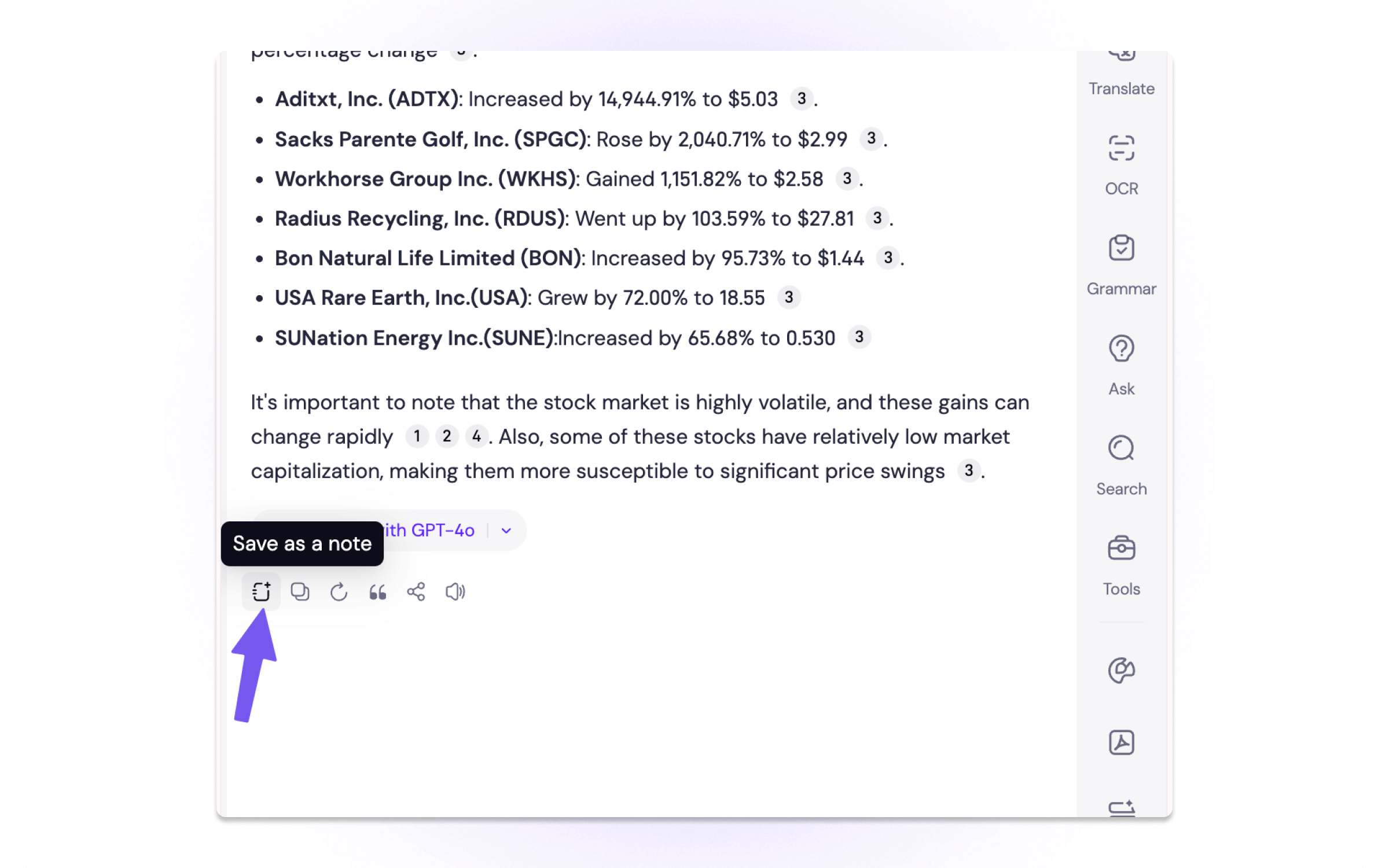
Brief Wisebase intro: Wisebase is a space in Sider (introduced in v5.0) where you can save and organize useful information, like notes and resources. It's like your own personal knowledge base, powered by AI!
Update Information
✅ Current Users: You've already received the update automatically!
We're constantly working to improve Sider, and we hope you love these new features. As always, we appreciate your feedback!
Products
Wisebase
©2026 All Rights ReservedTerms of UsePrivacy Policy