- Home
- What's New
- Browser Extension
- Introducing Sider Code - Customize Any Webpage with Plain Text
Introducing Sider Code - Customize Any Webpage with Plain Text
sider code
Sep 1, 2026Version: 5.32.4
We all have pages we open every day and wish worked a little better: fewer pop-ups, easier text, a dark mode that never comes. Until now, changing a website meant learning to code, so most of us just lived with it.
Sider Code changes that. It is a new tool in your sidebar that can reshape almost any website for you. Tell it what you want in your own words, and it updates the page right away. The change is saved, and it comes back every time you visit that site.
Here is what you can do with it:
- Clean up any page. Hide ads, pop-ups, sidebars, or sponsored content, even on sites that never gave you a way to do it.
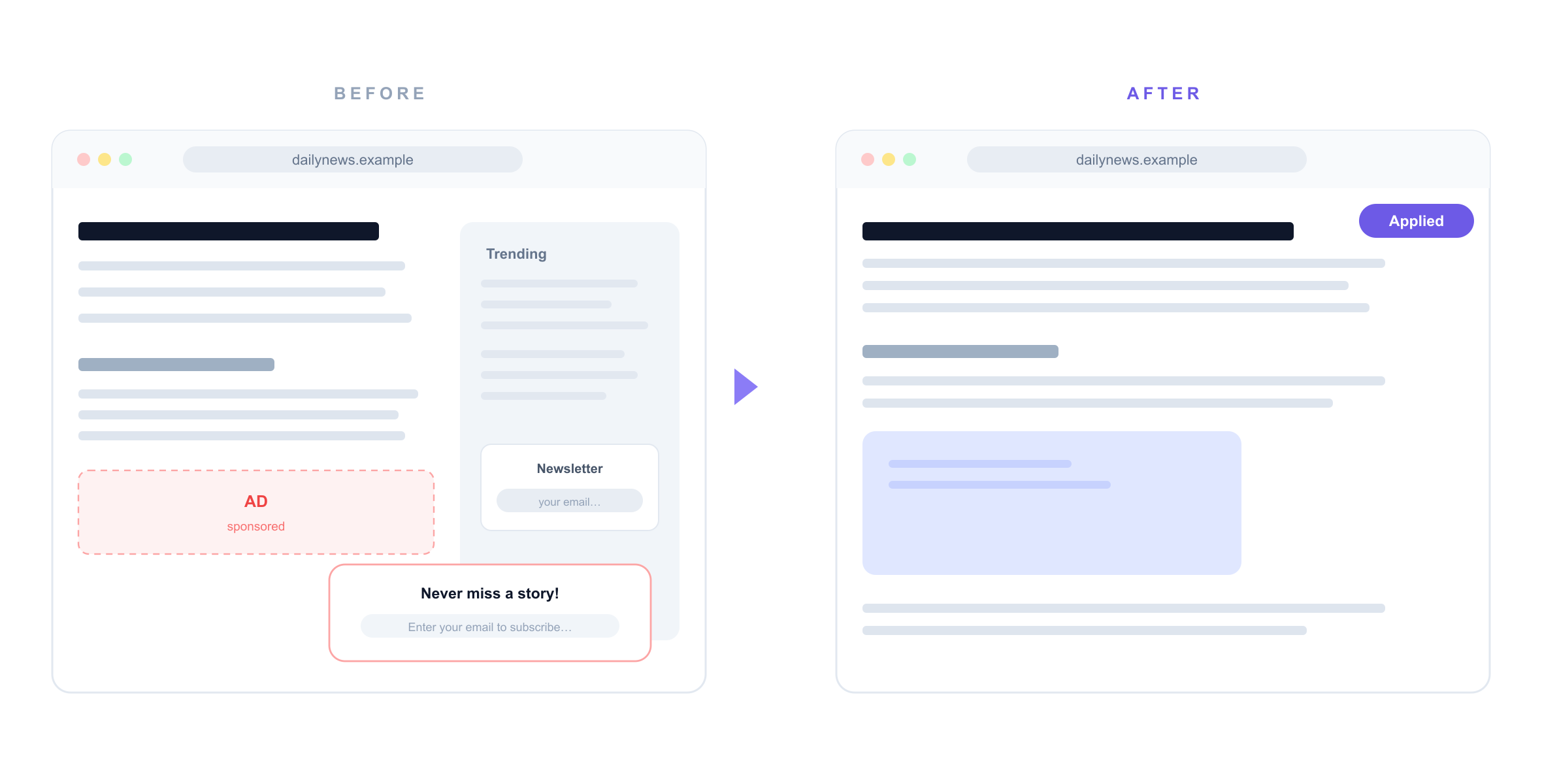
- Get dark mode anywhere. If a site does not have one, just ask for it.
- Summarize the long stuff. Add a button that turns a long article, or a thread with hundreds of comments, into a few key points.
- Read more comfortably. Widen the layout, increase the font size, or add a table of contents that follows you down the page.
- Handle the small annoyances. Grab every image on a page, auto scroll a feed, or move a button you keep hitting by mistake.
Using it takes about ten seconds:
- Open Code from your sidebar on the page you want to change.
- Say what you want in your own words, like "hide the pop-ups on this page" or "make this site dark".
- That is it. Code writes the change, tests it on the real page, and applies it right away. The site keeps working the way it should.
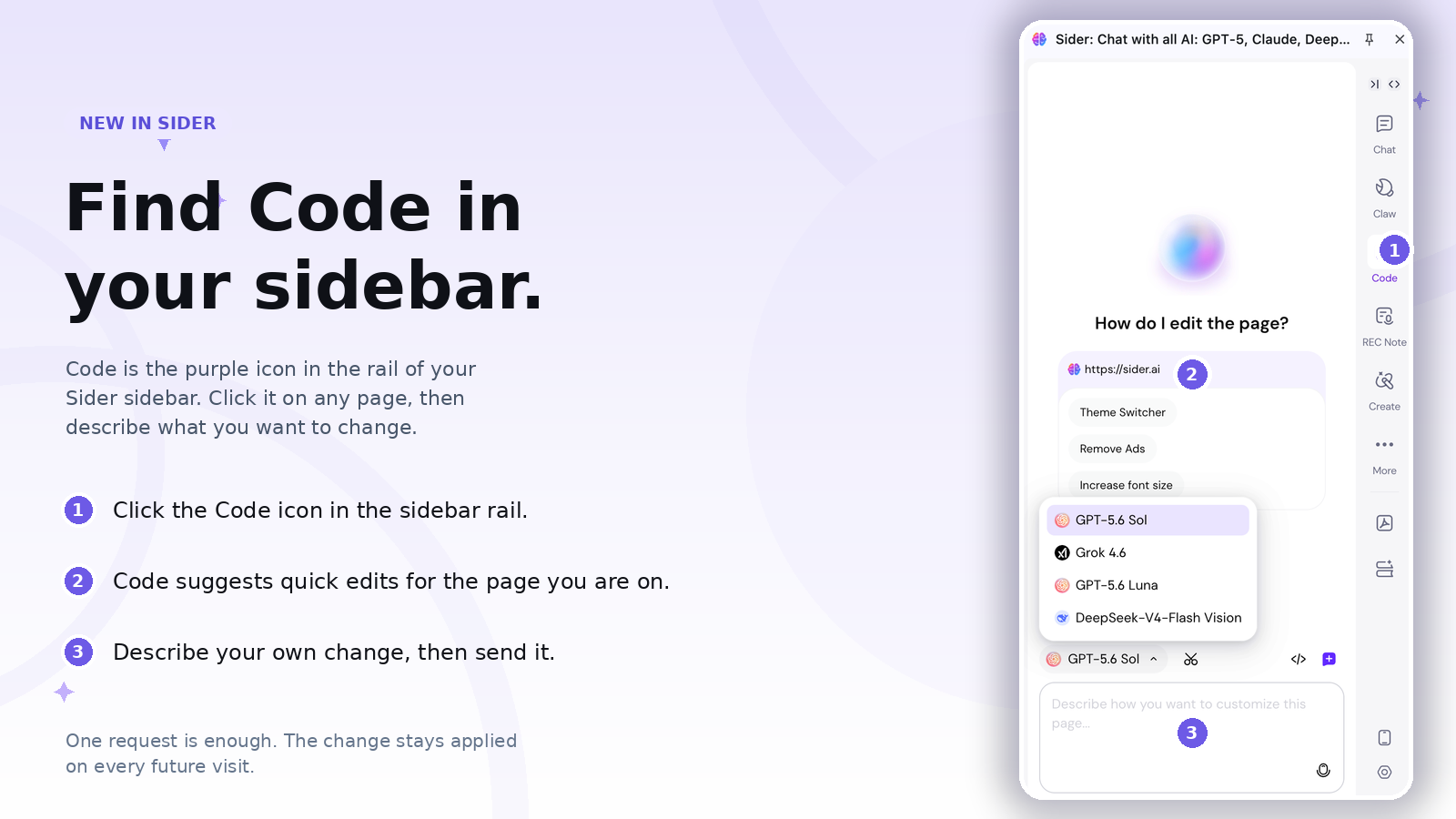
Ask once, and it stays. You describe a change a single time. Code builds it once, saves it, and from then on it is applied automatically every time you visit that site. No need to explain yourself again.
Everything lives in My Scripts. All your saved changes are listed in one place, each with a simple switch. Pause one, switch it back on, or delete it, all in one click. You can also keep refining any change: tell Code to make it smaller, lighter, or to only touch one part of the page.
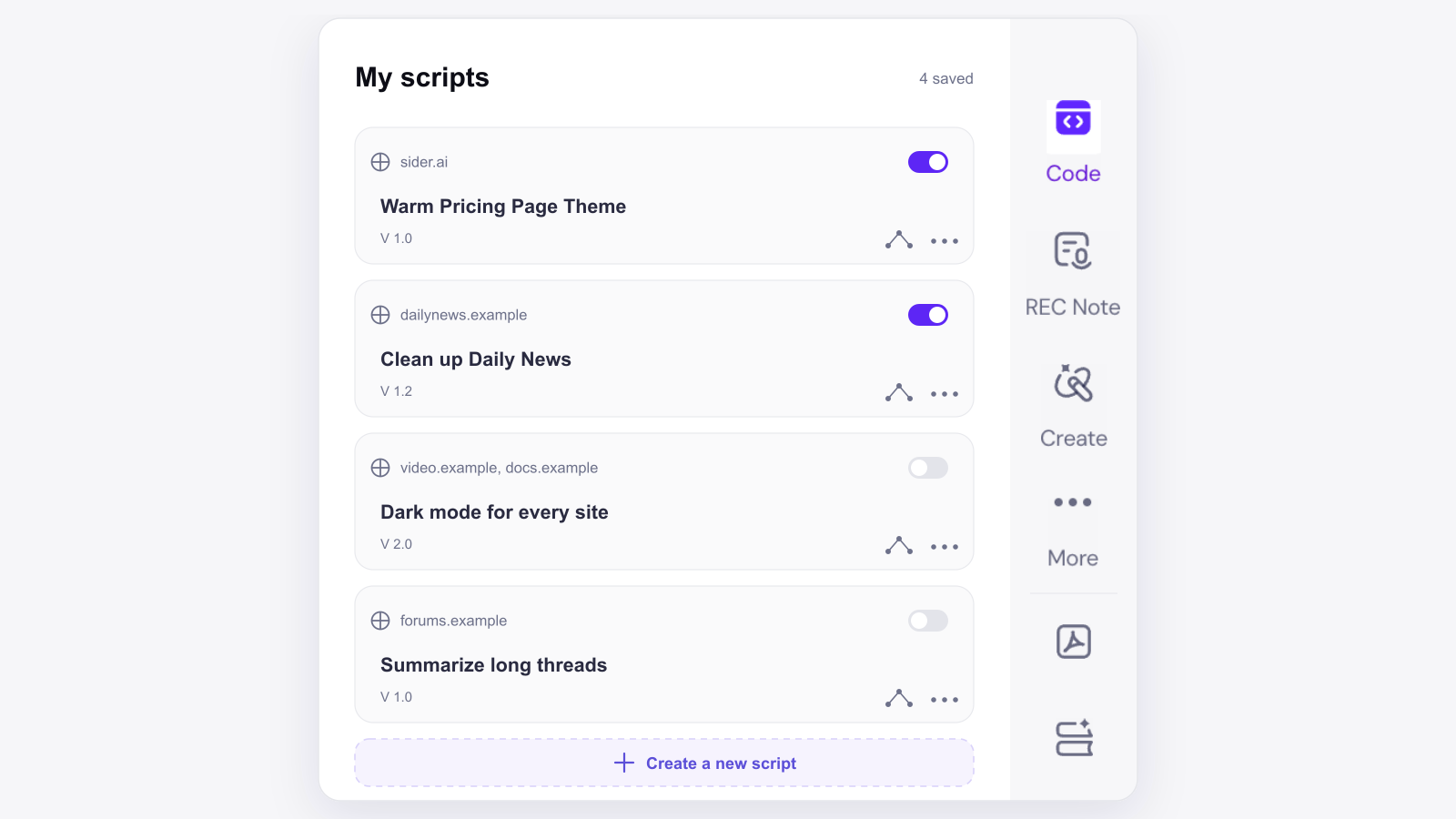
Code is ready in your sidebar. If a site has been bothering you for a while, that is the best place to start.
Note: The first time you use Code, you will be asked to allow user scripts and to install Sider Operator. Both steps take a few seconds and only happen once.