- Home
- Blog
- Getting Started
- Feature Overview
Feature Overview
Updated at Jun 9, 2026
1 min
Have a quick scan of the location of all our features.
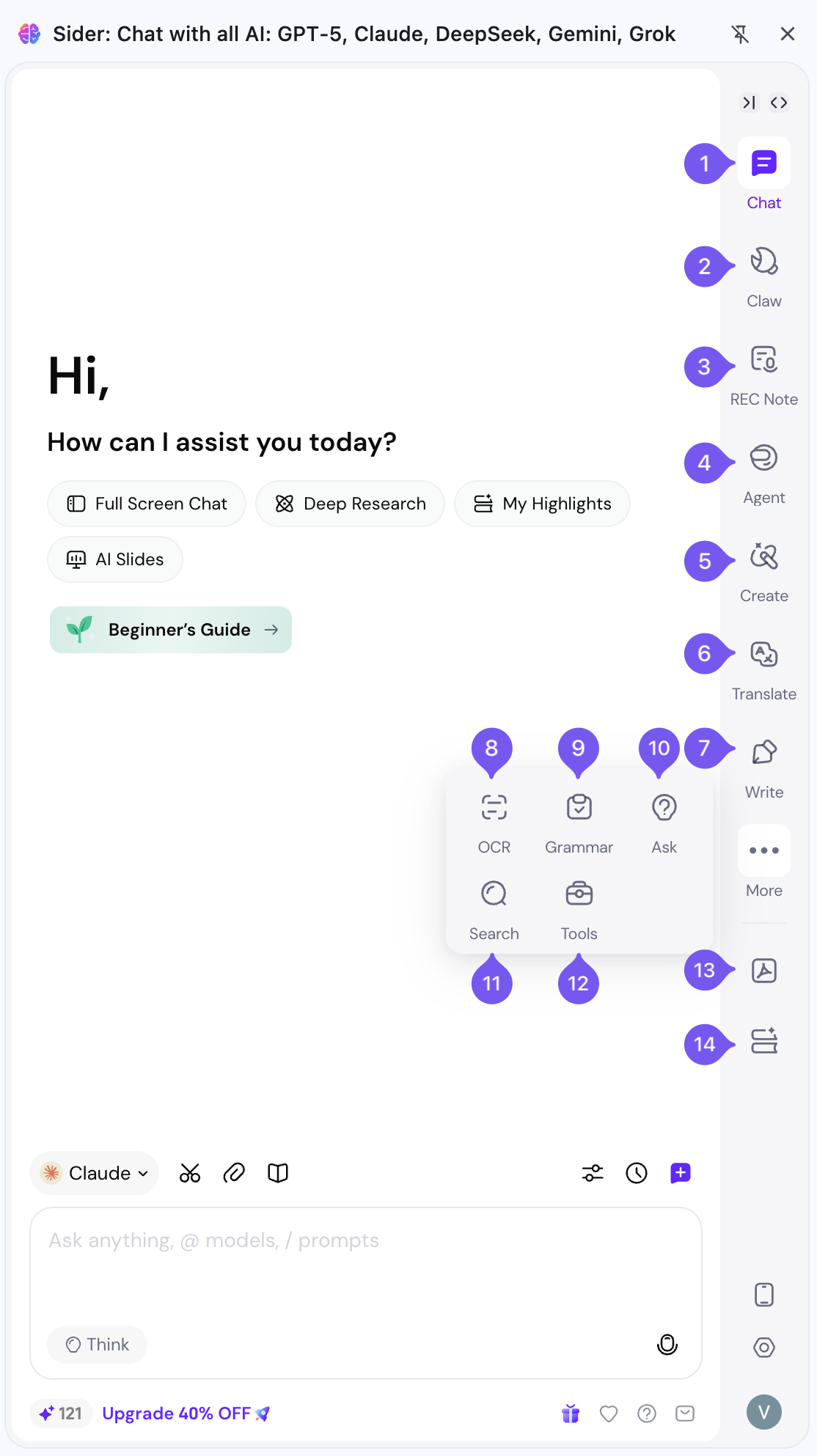
Sidebar Features
- Chat: Chat with any images, topics, files, webpages.
- Full page chat: Enjoy all sidebar features in an immersive full-screen mode.
- Write: Write or reply messages, social media posts, comment better and faster.
- Translate: Translate any text to 50+ languages.
- Search: Search any topic and get answers you need 10X faster than searching in browser
- OCR: Extract text from any image instantly.
- Grammar: Check grammar, spelling, and punctuation errors of any pasted text.
- Ask: Complete some text tasks by using the built-in prompts.
- Painter: Generate images based on text prompt.
- ChatPDF: Summarize, translate, or chat with your PDF documents.
Image Editing Tools
You can access Image Editing Tools by opening Sider sidebar, and clicking Painter > Editing Tools.
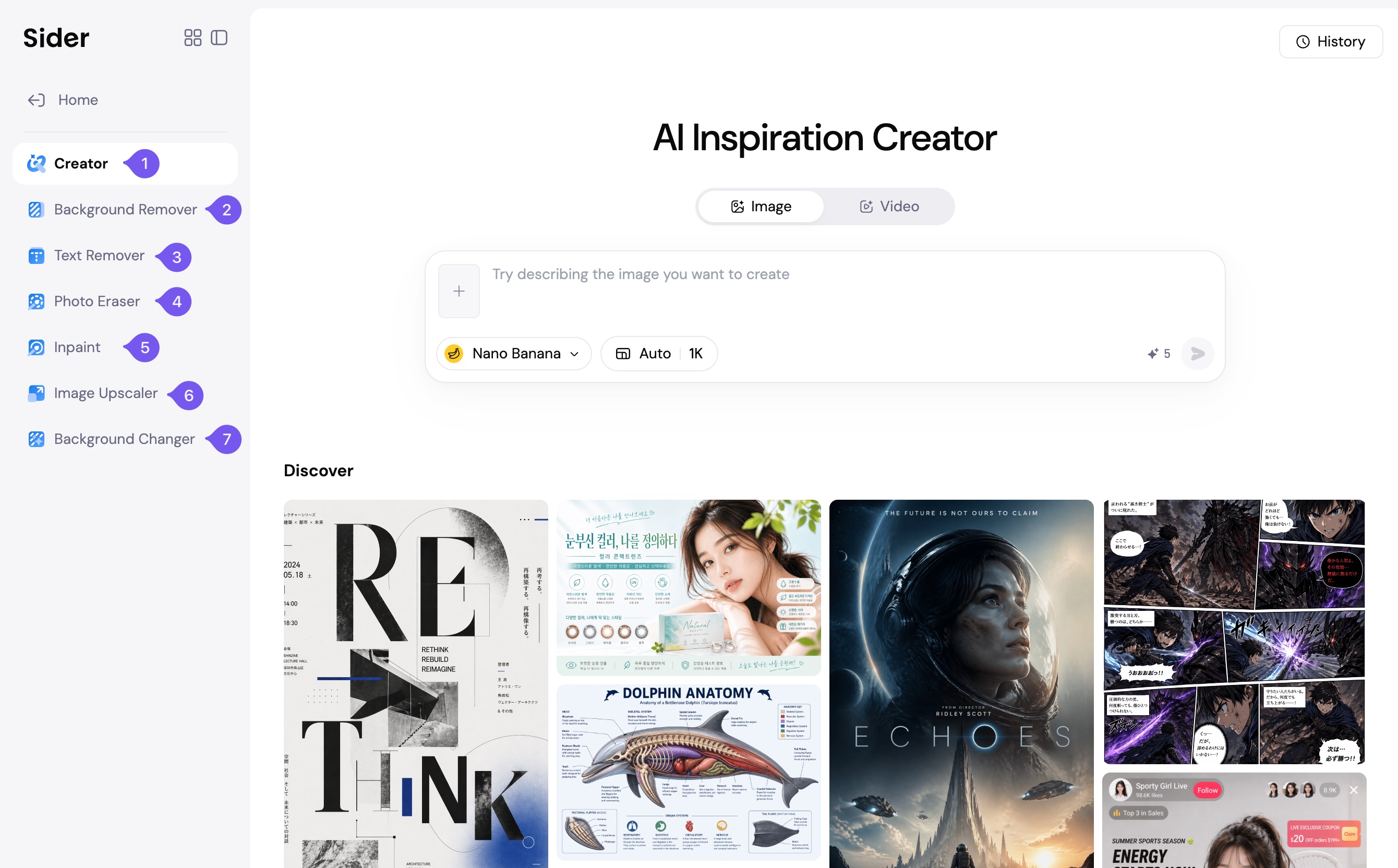
- Remove Background: Extract the main subject from any image.
- Remove Text: Remove text from any image.
- Upscale: Enhance the resolution of the image for a clearer view.
- Replace Background: Insert a new background to any image.
- Remove Brushed Area: Alter specific areas of the image as per your requirements.
Search Panel
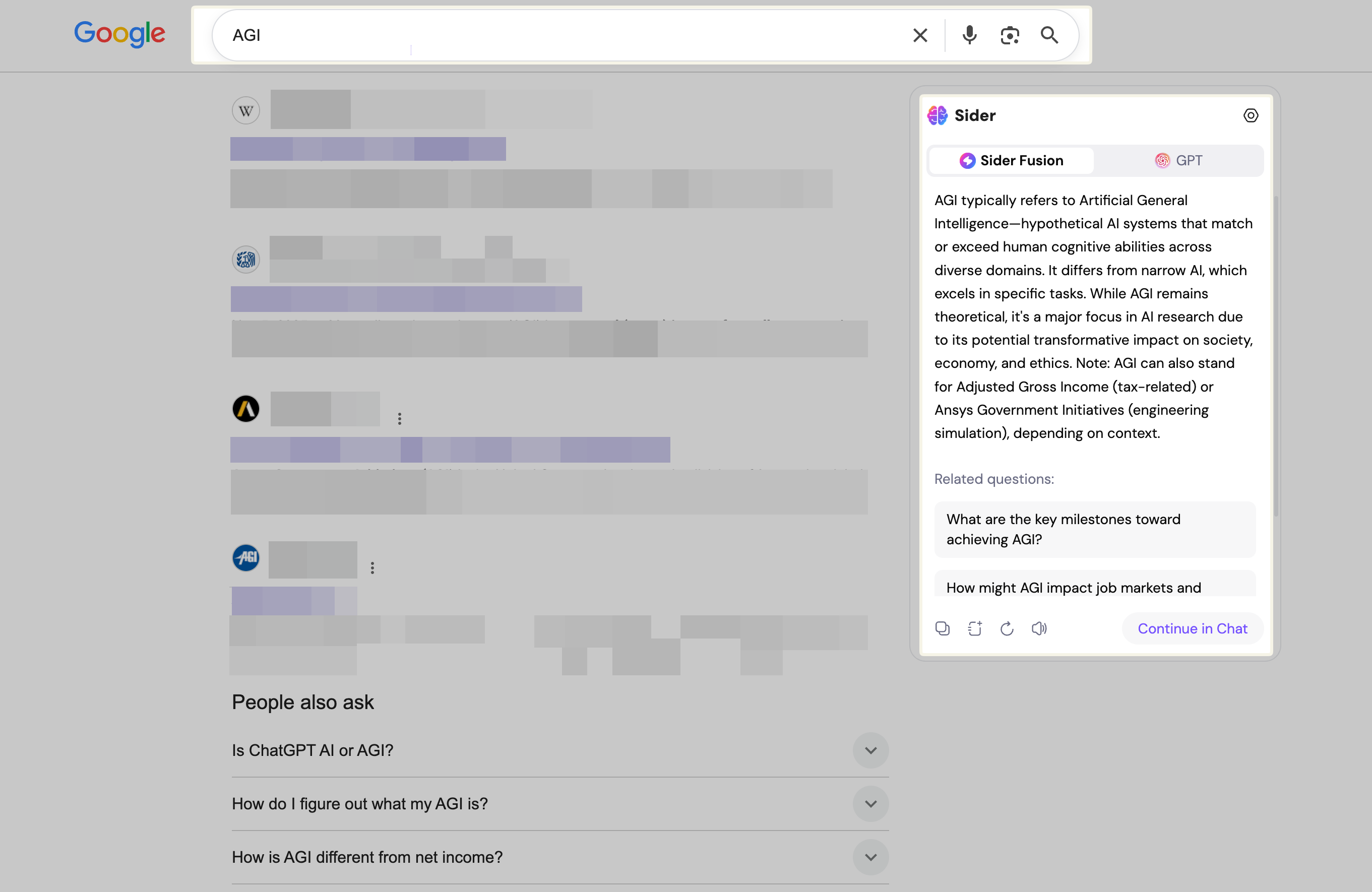
Sider's search panel enriches your search experience by displaying ChatGPT's responses alongside search result pages, allowing for a comprehensive view of information.
Sidebar Icon
Quickly access the sidebar and its comprehensive tools through the icon located at the lower right corner of your webpage. Additional functionalities include page translation and summarization.

Context Menu
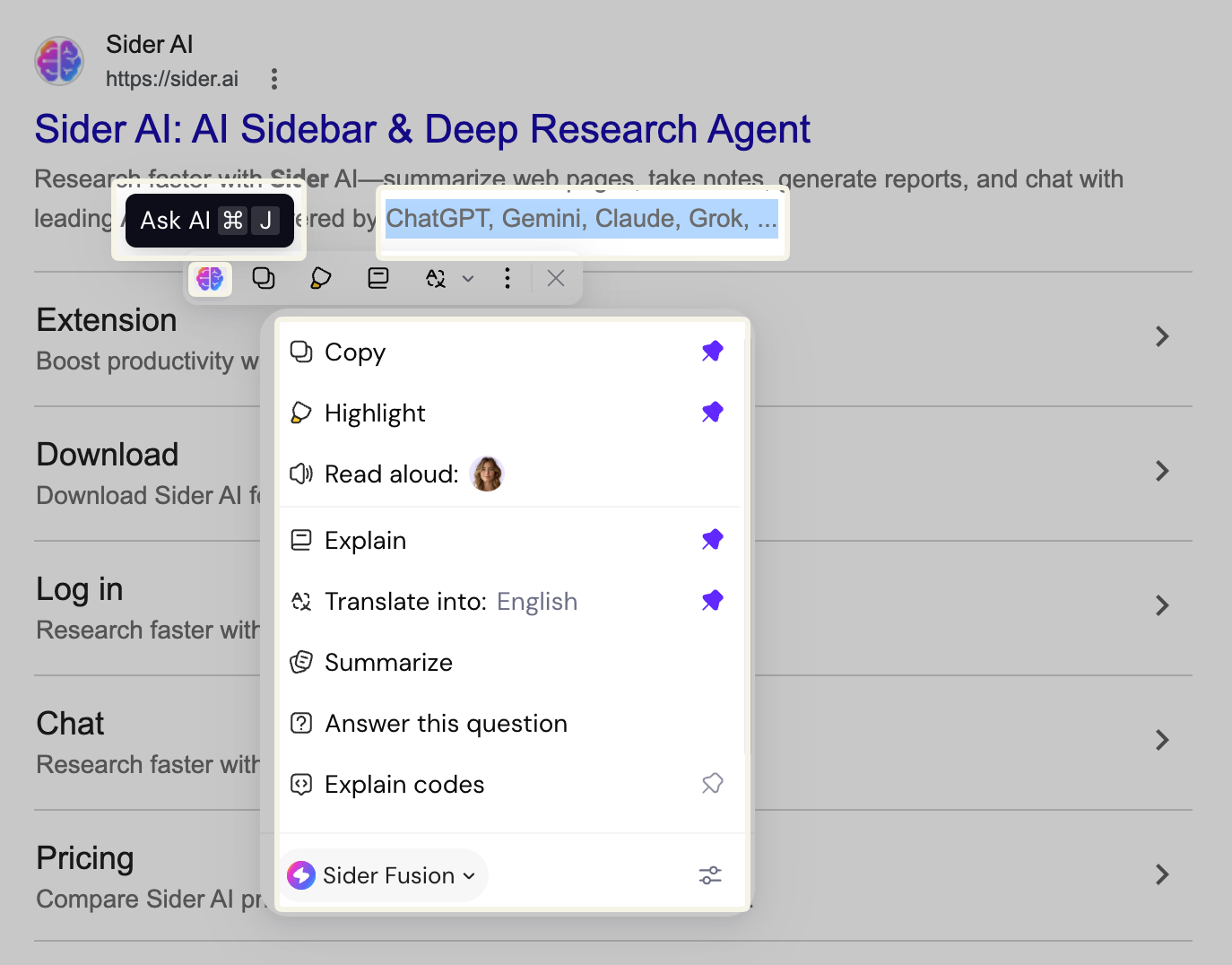
Web Assistant
Utilize our Web Assistant for generating content, summarizing YouTube videos, answering Q&A, generating email responses, and explaining webpage code.
1. YouTube Video Summary: Summarize any YouTube video instantly.

2. Q&A Assistant: Answer any questions on Q&A site with a few clicks.

3. Email Assistant: Automatically generates responses to your email with one click.

4. Code Assistant: Explain code on webpage.

Prompt Management
Customize your Sider experience by adding and managing prompts according to your preference, ensuring a personalized interaction with web content.